Archive post
Clive Updates - changes in TUI interfaces
We are progressing towards our goals: making Clive more user-friendly and implementing encrypted profiles
We are progressing towards our goals: making Clive more user-friendly and implementing encrypted profiles. Both goals are still in progress, but a lot of work has been done. We also did some Christmas cleaning - we resolved many small, but useful issues.
### To make Clive more user-friendly
At the beginning of our work on Clive, we thought we didn’t need buttons as actions can also be done from the bottom menu, but now we believe they can be useful for mouse users. So we are gradually adding them in many places.
##### Changes in the top menu
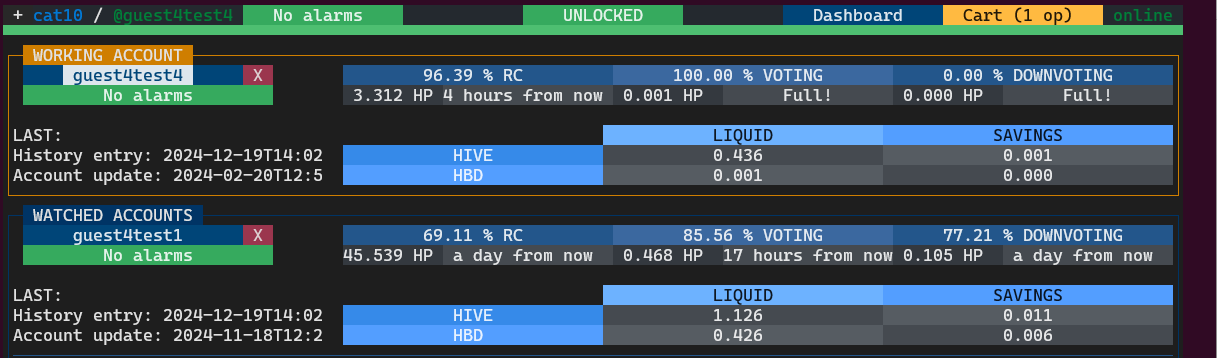
We have updated the top menu and added `Dashboard` and `Cart` buttons so now you can quickly navigate to the Dashboard and the Cart from almost anywhere. Additionally, you can always see how many operations are already in the cart.
##### A new button on the operation views
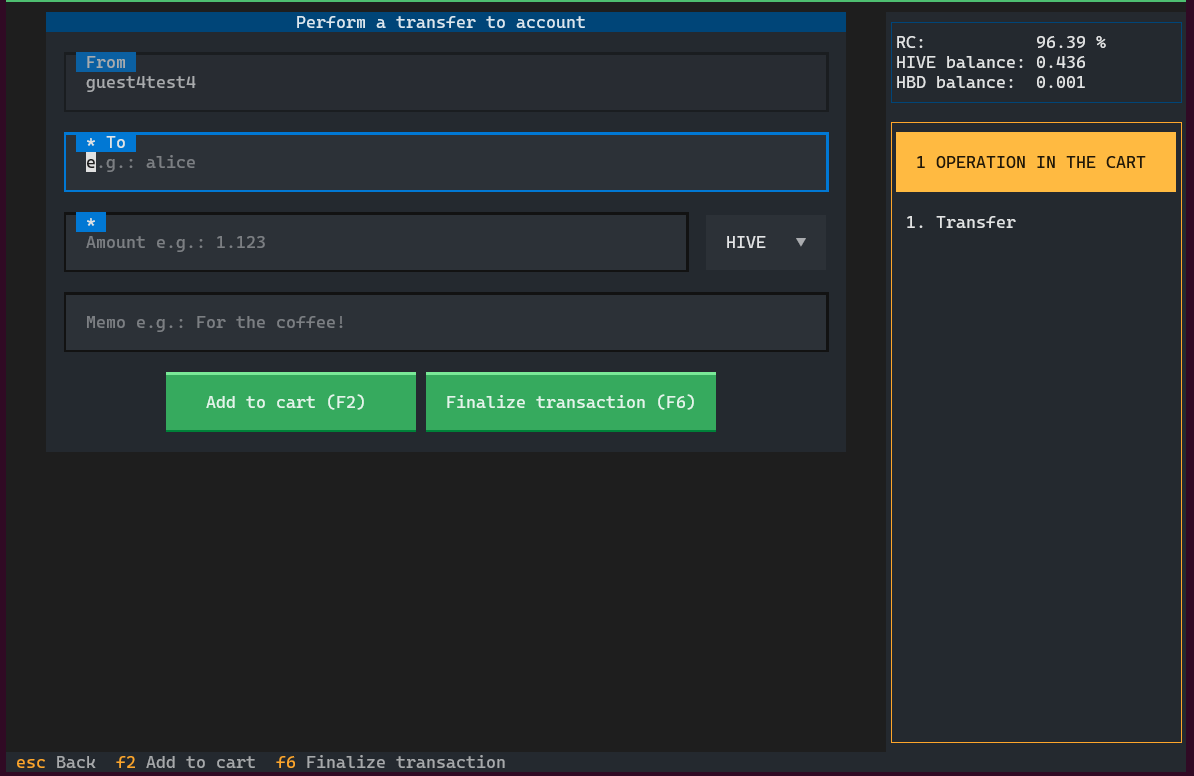
We also added a new button, `Finalize transaction`, to views with operations: transfer, transfer to/from savings, power up, power down, set the withdraw routes, and delegate.
If you press the `Finalize transaction` button, the operation is added to the cart and you jump to the `Transaction summary` view - you can still use key bindings if it is more convenient for you.
##### Changes in the creating a new profile process
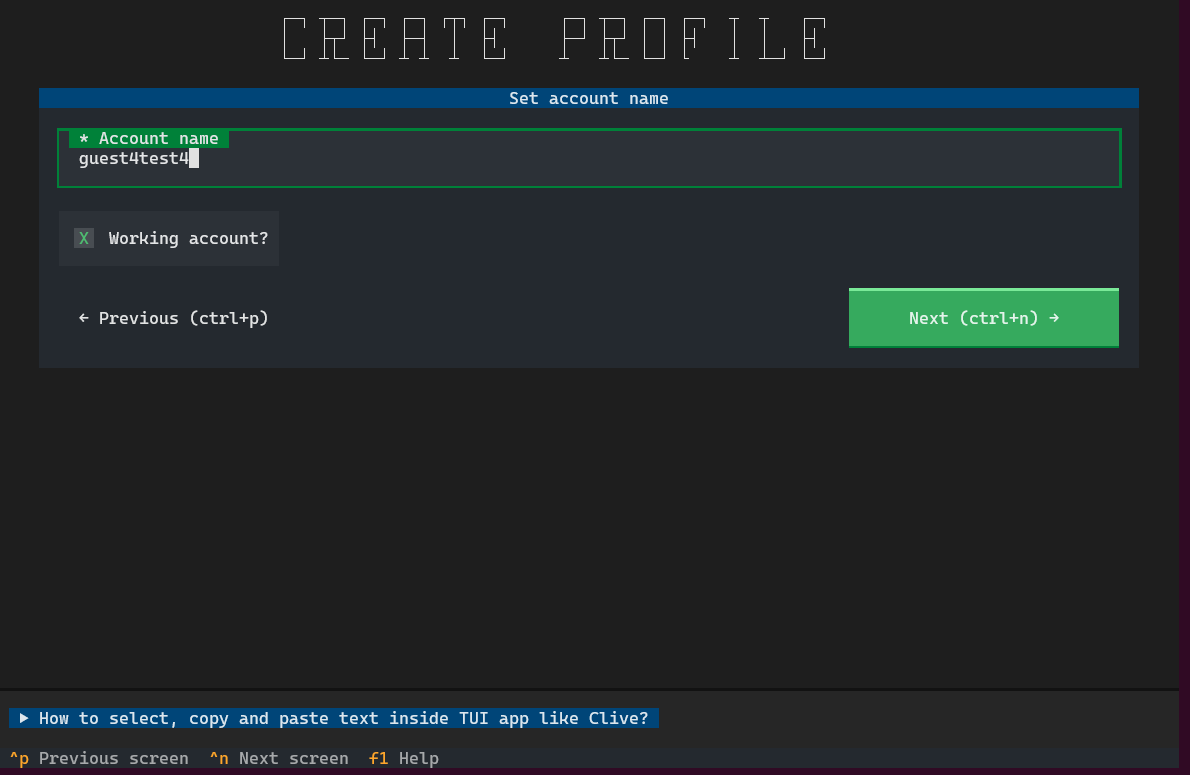
We simplified the process of creating a new profile. We removed the node selection step (but you can always change it by clicking `Online` on the right corner) and added the `Next` and `Previous` buttons to make navigation easier. You can always quickly trigger the default screen action by pressing `Enter` when focused on the input.
### On the way to the encrypted profiles
As I wrote in the [previous post](/@thebeedevs/clive-updates-the-first-step-to-an-encrypted-profile) we are working on the encrypted profile functionality. The next step was done - we made changes to the profile’s locking. You will not see any changes related to this in the user interface in TUI, but you will notice changes in CLI.
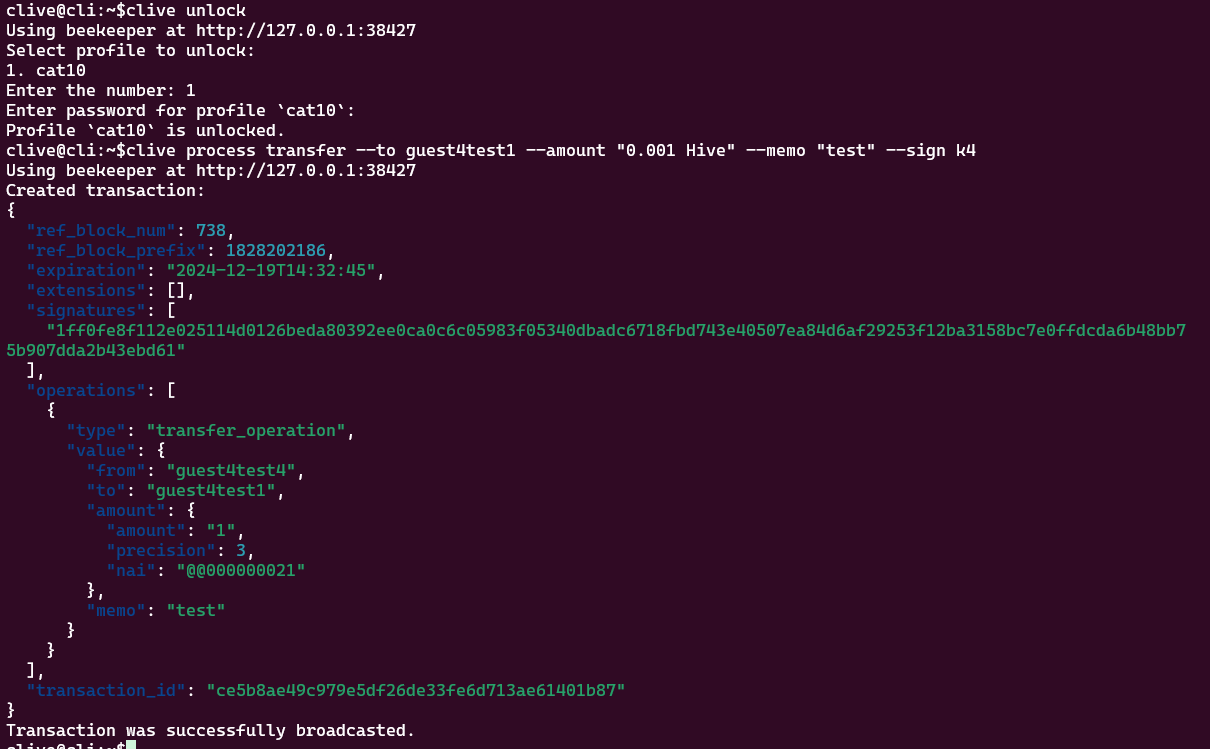
When you run CLI, select a profile, and enter a password, you will see information that your profile is unlocked.

The huge change is that after unlocking, you don’t need to add the options `--profile-name` or `--password` anymore. If it’s unlocked once, it will be kept in that state. You can lock your profile anytime. If you don’t do it manually, the profile will be locked automatically after a timeout (15 minutes).
Example:
The next planning steps are:
- removal of the default profile as it might be a confusing feature after the latest lock/unlock changes
- stored data encryption
### Changes in CLI
In the last releases, we were focused on changes in TUI which caused some inconsistencies in how working, watched, and tracked accounts work in TUI and CLI.
After updates, you can add and remove tracked accounts in the CLI. It works like in the TUI - every tracked account is automatically added to known and the first tracked account is set as working.
Example:
Adding a new tracked account.
`clive configure tracked-account add guest4test6`

You can now also switch a working account the same way as in the TUI.
Example:
Switching a working account
`clive configure working-account switch guest4test6`

[Complete list of corrected issues](https://gitlab.syncad.com/hive/clive/-/releases/v1.27.5.19)
The scripts that allow you to run Clive are here: https://gtg.openhive.network/get/clive/
More info about running Clive can be found here: [Clive - alpha release](/@thebeedevs/clive-alpha-release). Please make sure you are using the most recent version: **v1.27.5.19**
## TL;DR
```
docker run -ti hiveio/clive:v1.27.5.19
```
### Your feedback is invaluable and always welcome.