Archive post
Clive Updates - Recurrent transfer and claim a new account token now available in CLI
The new release brings the possibility to use two new operations in CLI - recurrent transfer and claiming a new account token
The new release brings the possibility to use two new operations in CLI - recurrent transfer and claiming a new account token. We have also made some improvements regarding presenting Hive Power.
In TUI (text-based user interface) we have worked for consistency and corrected some issues (check the issue list at the bottom of the article). The major change from a user point of view is the change of binding - F6 is now used instead of F10. We start to work on Alarms but more about it in the next article.
### Recurrent transfer
The recurrent_transfer_operation sends a specified amount to a receiver regularly, every `frequency` until `repeat` transfers are made.
Currently, only one recurrent transfer for a given receiver can be defined. As of HF 28, a user will be able to use `pair-id` to create more than one recurrent transfer to the same receiver.
The definition of recurrent transfer can be modified or removed before the last execution. The recurrent transfer can be defined in HIVE or HBD.
Please be aware that recurrent transfers are not supported by every exchange.
##### Creating recurrent transfer using CLI
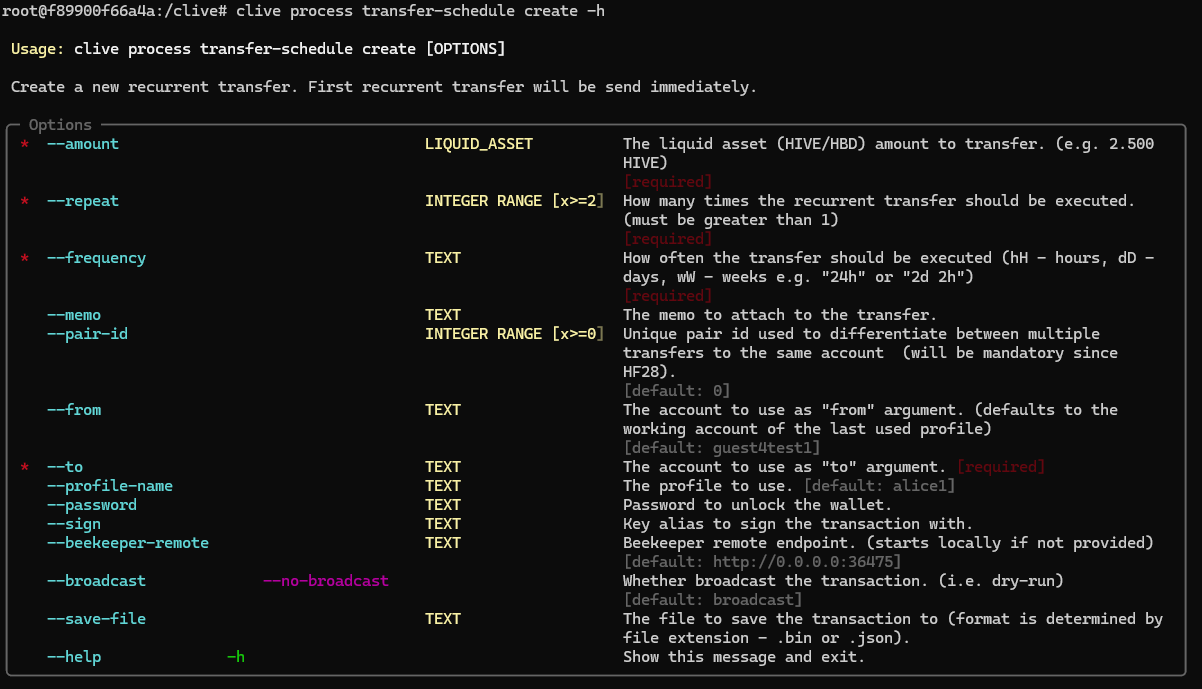
A user may create a recurrent transfer using the command `clive process transfer-schedule create`.
In this release only creating recurrent transfer in HIVE is possible.
Notice that frequency can be defined using hH - hours, dD - days, and wW - weeks.
Before HF 28, the parameter pair-id should not be used – the transaction with specified pair-id will be rejected by the blockchain.
****
Example:
A user wants to define a recurrent transfer to guest4test4 with 0.001 HIVE. The transfer should be sent twice with 24 hours between transfers.
`clive process transfer-schedule create --frequency 24h --repeat 2 --to guest4test4 --amount "0.001 hive" --sign alias1 --password alicealice`
**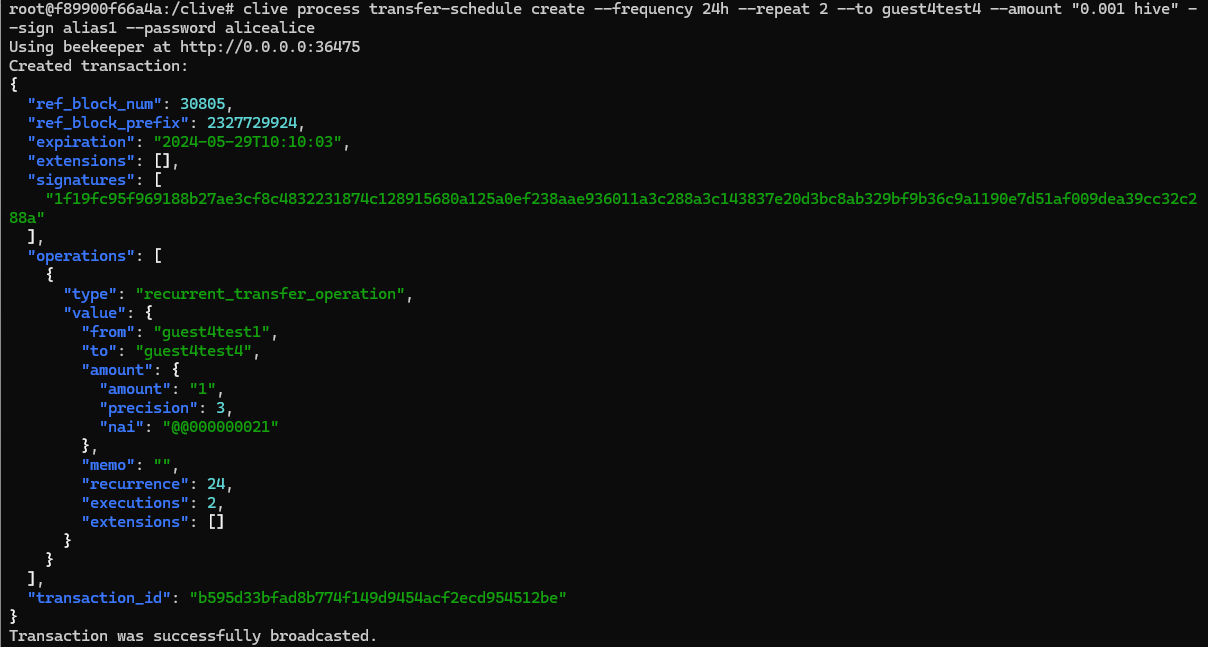**
You can check the transaction here: https://explore.openhive.network/transaction/b595d33bfad8b774f149d9454acf2ecd954512be
##### Check the schedule of recurrent transfer
Information about currently ongoing recurrent transfers can be checked using the following command:
`clive show transfer-schedule`
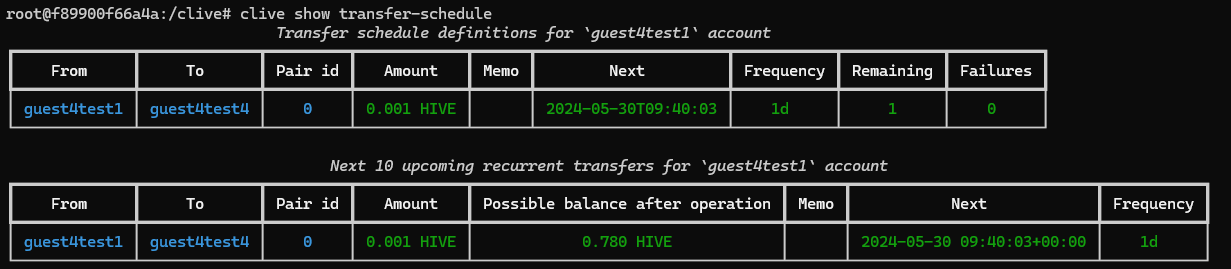
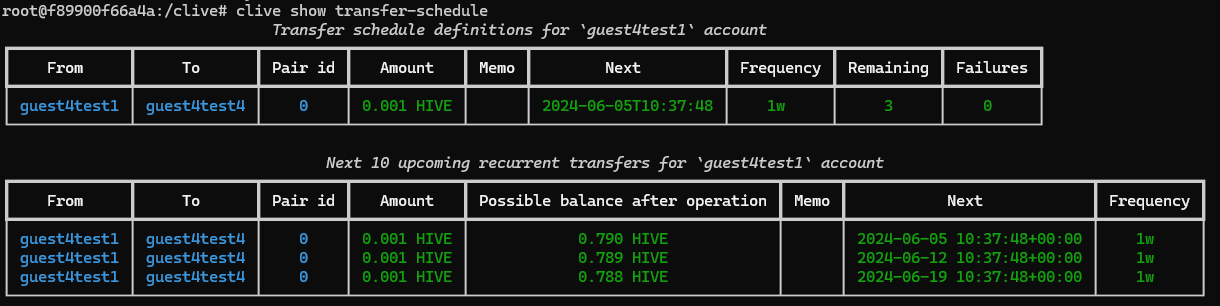
Two tables will be shown, the first one containing information about defined recurrent transfers, and the second one a schedule of a maximum of 10 upcoming transfers.
Example:
`clive show transfer-schedule`
****
##### Modifying recurrent transfer using CLI
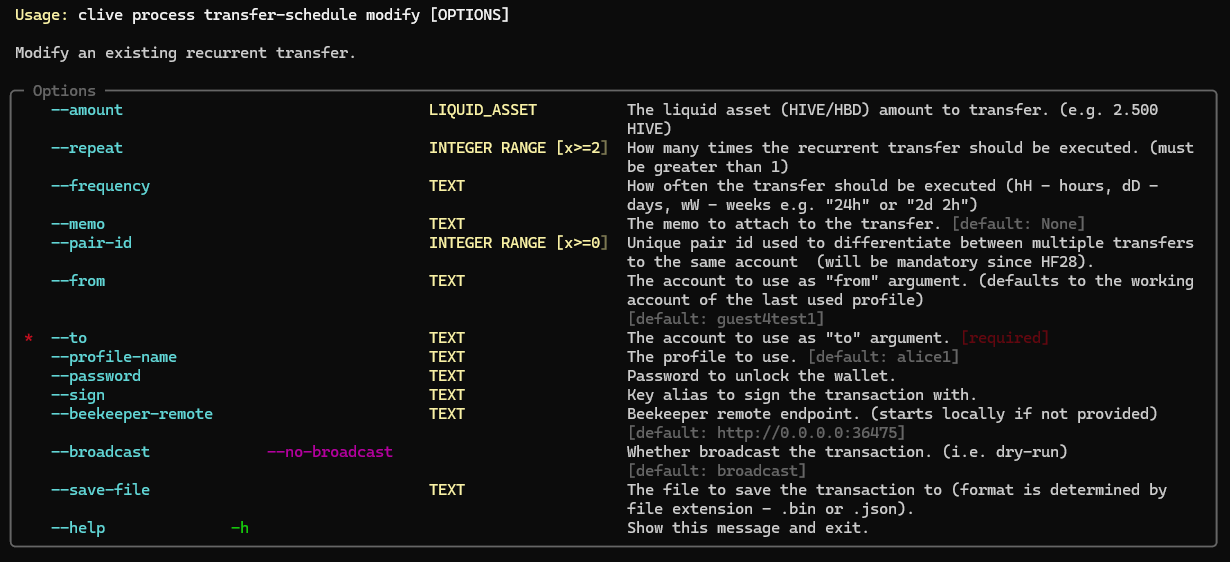
The currently ongoing recurrent transfer may be modified. You can modify:
- amount
- frequency
- repeat
- memo
Notice that if you change the frequency, the first execution after modification is `update date` + frequency.
The recurrent transfer may be modified by the command: `clive process transfer-schedule modify`.
****
Example:
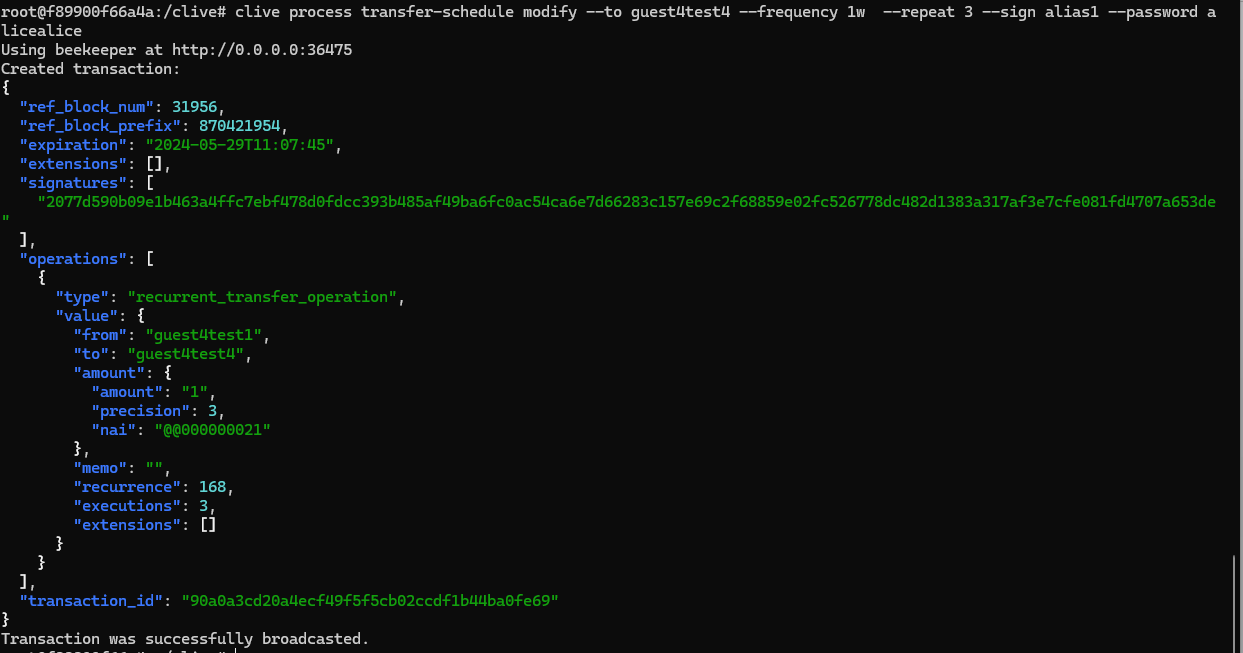
A user wants to modify the `frequency` and `repeat` of the transfer. The frequency of a previously created recurrent transfer is `1d` and this transfer will be executed one more time (“remaining” in the table above), a user wants to change the `frequency` to `1w` and the `repeat` to `3`.
`clive process transfer-schedule modify --to guest4test4 --frequency 1w --repeat 3 --sign alias1 --password alicealice`
****
`clive show transfer-schedule`
****
You can check the transaction here: https://explore.openhive.network/tx/90a0a3cd20a4ecf49f5f5cb02ccdf1b44ba0fe69
##### Removing recurrent transfer using CLI
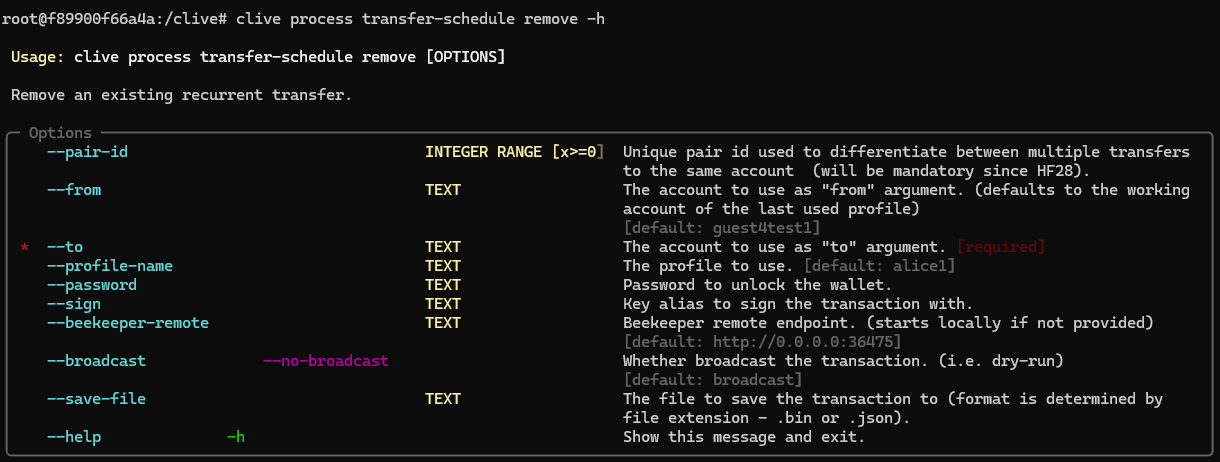
The recurrent transfer may be removed by the command: `clive process transfer-schedule remove`.
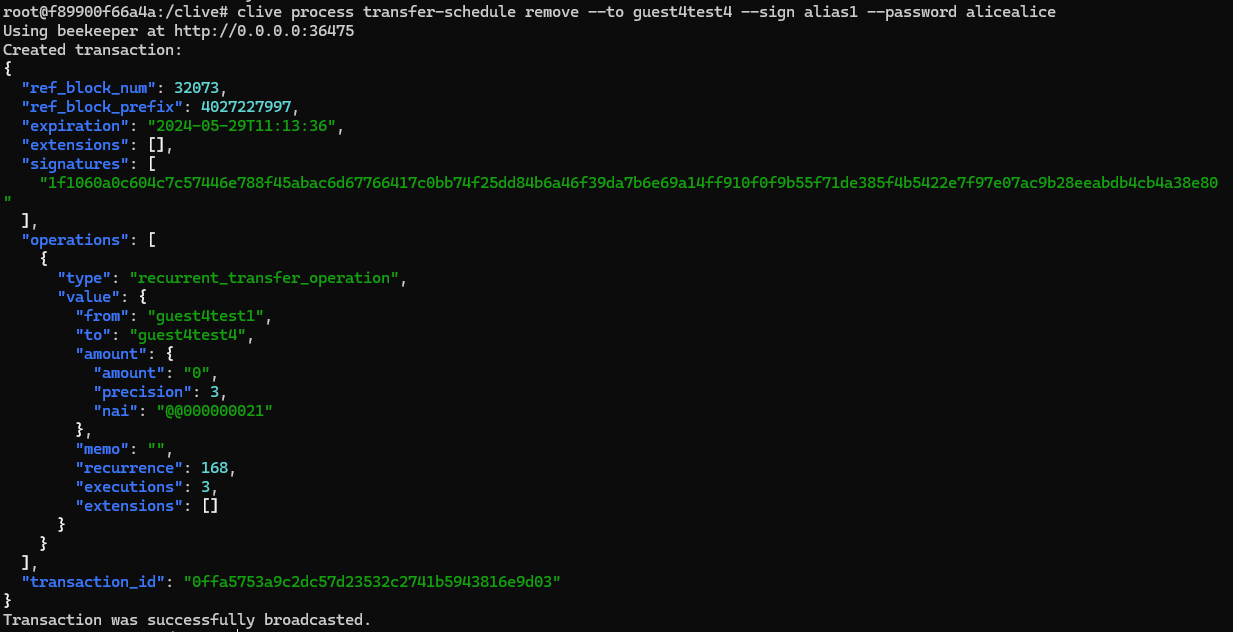
In order to remove a recurrent transfer, the recurrent transfer operation with an amount of 0 is created.
****
Example:
A user wants to remove a recurrent transfer.
****
### Claim a new account token
One of the possible ways to create an account for a new user in Hive is to use a pair of operations: `claim_account_operation` and `create_claimed_account_operation`.
Using the `claim_account_operation` a user may claim a new account token and pay for it with HIVE or Resource Credit (RC). After executing the operation claim_account_operation the user receives a new account token, but a new account is not created.
A new account token can be now claimed using CLI Clive.
##### Claim a new account token in CLI
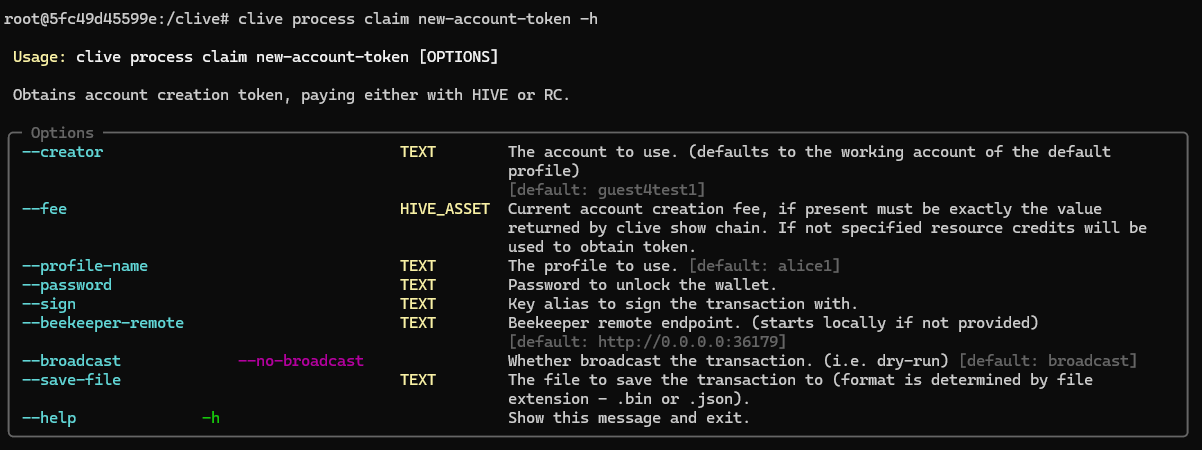
A user can claim a new account token and pay for it using Hive or RC. If the fee is not specified, the RC is used by default.
The command description:
`clive process claim new-account-token -h`
****
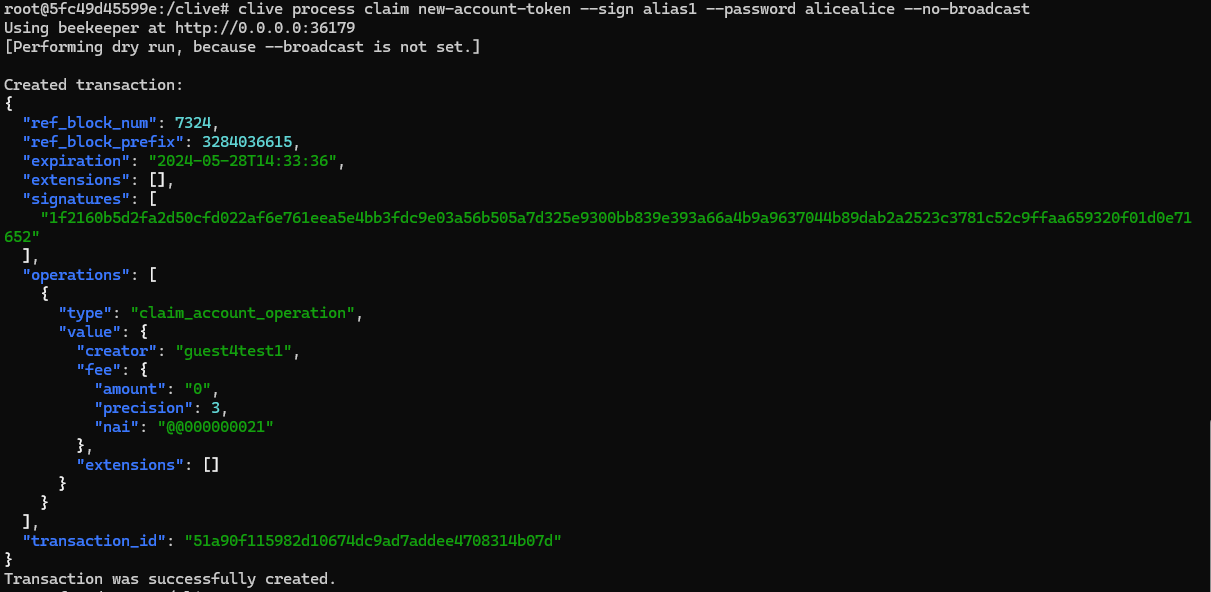
Example:
A user claims a new account token, but does not specify the fee so it will be paid in RC. The user doesn’t broadcast the transaction (using –no-broadcast flag), because the account `guest4test1` doesn’t have enough RC to execute the transaction.
`clive process claim new-account-token --sign alias1 --password alicealice --no-broadcast`
****
The number of available new account tokens can be checked with:
`clive show new-account-token`
****
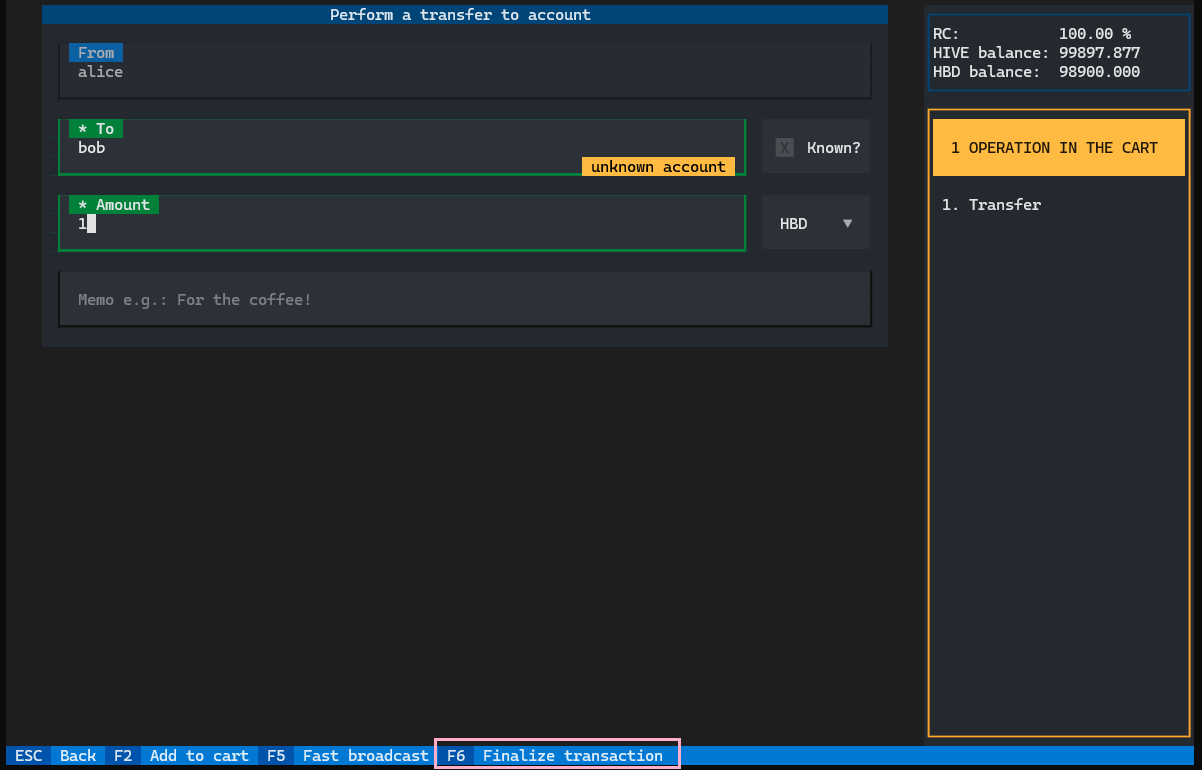
### TUI - Change of binding from `F10` to `F6`
The changing of binding is not a huge change, but if you already use a Clive it may be confusing because we change one of the most important bindings.
The reason for that was that in some Linux terminals, the `F10` conflicts with other keyboard shortcuts of the terminal itself.
****
[Command schema](https://gitlab.syncad.com/hive/clive/-/blob/master/clive/__private/cli/commands_structure.md)
[Complete list of corrected issues](https://gitlab.syncad.com/hive/clive/-/releases/v1.27.5.1)
More info about running Clive can be found here: [Clive - alpha release](/@thebeedevs/clive-alpha-release). Please make sure you are using the most recent version: **1.27.5.11**
## TL;DR
```
docker run -ti hiveio/clive:1.27.5.11
```
### Your feedback is invaluable and always welcome.