Archive post
Clive Updates - Hive Power Management in CLI
The main feature delivered in this release is Hive Power Management in CLI (command line interface)
The main feature delivered in this release is Hive Power Management in CLI (command line interface). The Hive Power Management is already available in TUI (text-based user interface). You can read about it in our previous posts:
- [CLI authority management and TUI Hive Power management](/@thebeedevs/clive-updates-cli-authority-management-and-tui-hive-power-management)
- [TUI Hive power management is now completed](/@thebeedevs/clive-updates-tui-hive-power-management-is-now-completed)
### Hive Power Management in CLI
Using Hive Power Management in CLI, the user may make a power up, power down, set withdrawal routes, and delegate Hive Power. Additionally, the user may check information related to Hive Power.
##### Check information about Hive Power
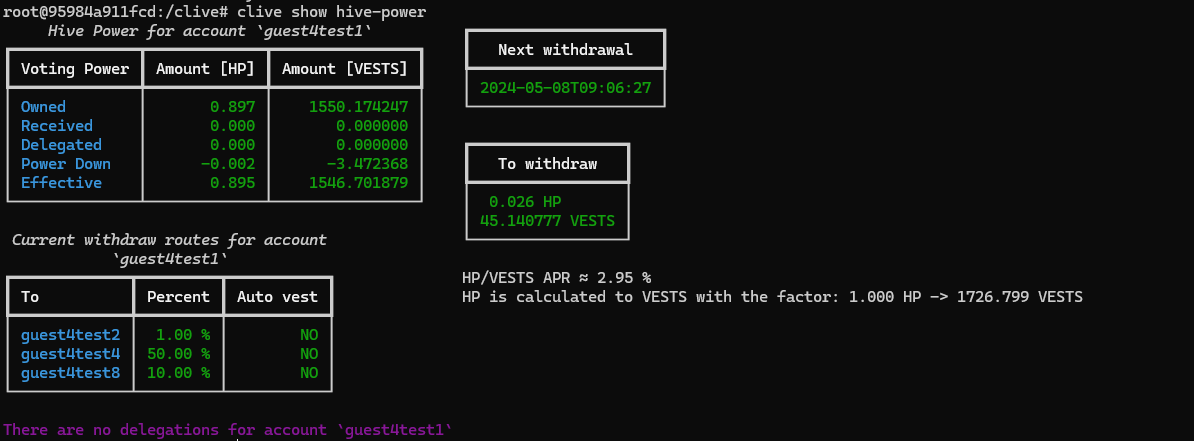
The general information about Hive Power Management, such as VESTS/Hive Power balances, processed power down operation, defined withdrawal routes, and delegations may be checked using the following command:
`clive show hive-power`
`Next withdrawal` shows the date when the next part of the vesting stake will be converted into Hive.
`To withdraw` shows the amount of Power down operation.
##### Check information about pending power-up
The vesting shares balance after the Power-up operation is increased immediately, but the Governance voting power is delayed and will be increased after 30 days.
To check information about delayed votes, a user may use the following command:
`clive show pending power-ups`

##### Check information about pending power-down
The information about the next withdrawal of the power down in progress may be checked with the following command:
`clive show pending power-down`

##### Check information about pending removed delegations
If the delegator removes the vesting shares delegation, the vesting shares are frozen for one week. You can view the frozen vesting shares using the following command:
`clive show pending removed-delegations`
Example from testnet:

##### Power up in CLI
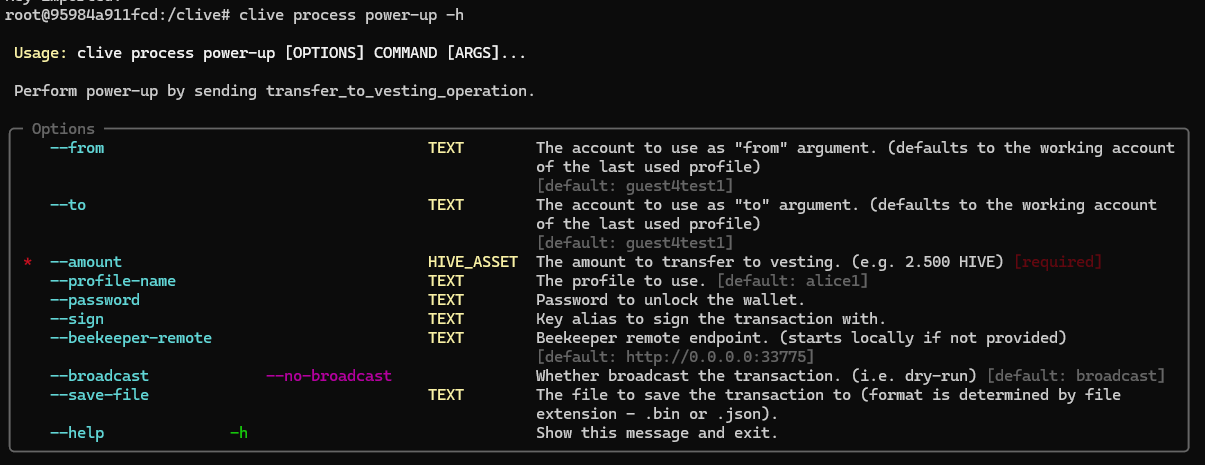
A user may make a power up using [transfer_to_vesting_operation](https://github.com/openhive-network/hive/blob/master/doc/devs/operations/03_transfer_to_vesting.md) via `clive process power-up` command.
Example:
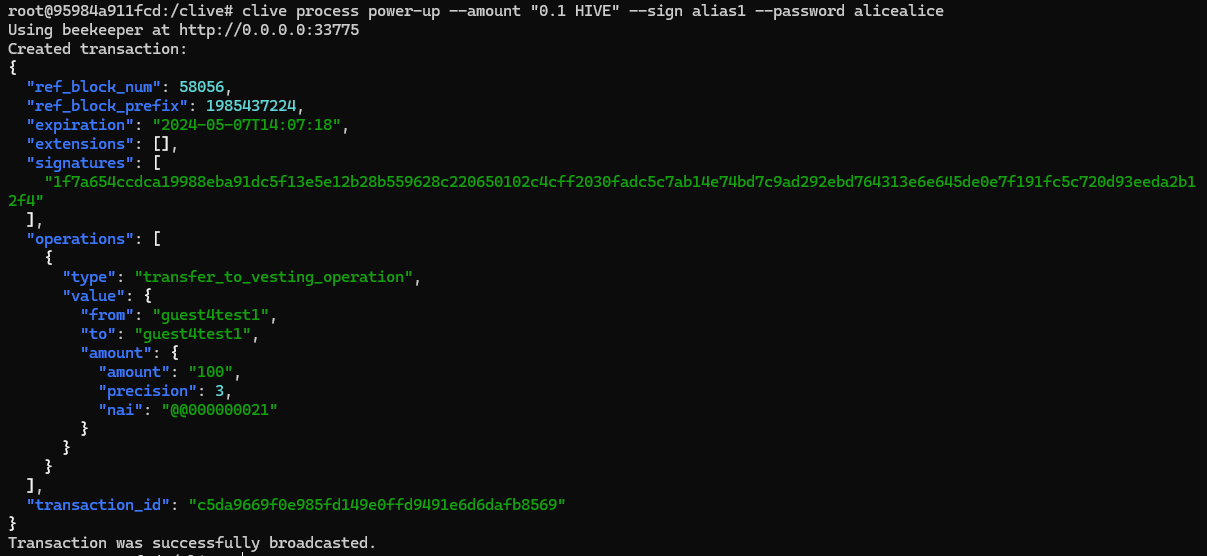
A user wants to make a power up for 0.1 HIVE amount.
`clive process power-up --amount "0.1 HIVE" --sign alias1 --password alicealice`
##### Power down
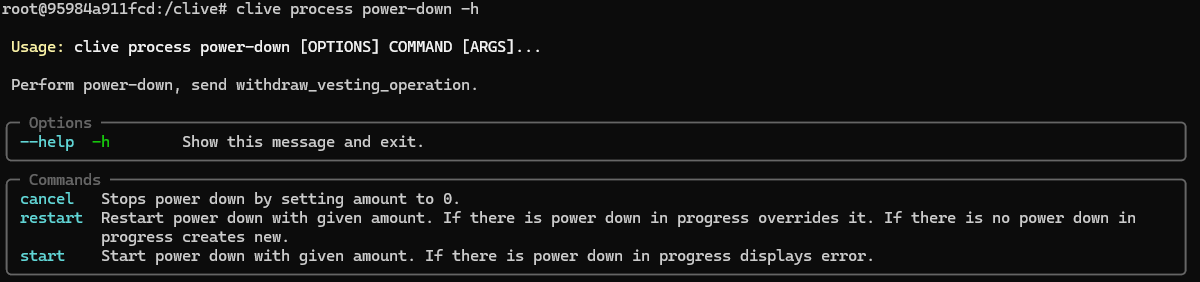
The user may start a power down process using [withdraw_vesting_operation](https://github.com/openhive-network/hive/blob/master/doc/devs/operations/04_withdraw_vesting.md) and Clive CLI subcommands of `clive process power-down`.
In Clive CLI mode, the user may start, restart (create a new power down when an old power down is in progress, the old power down is canceled ), or cancel a power down.
Example:
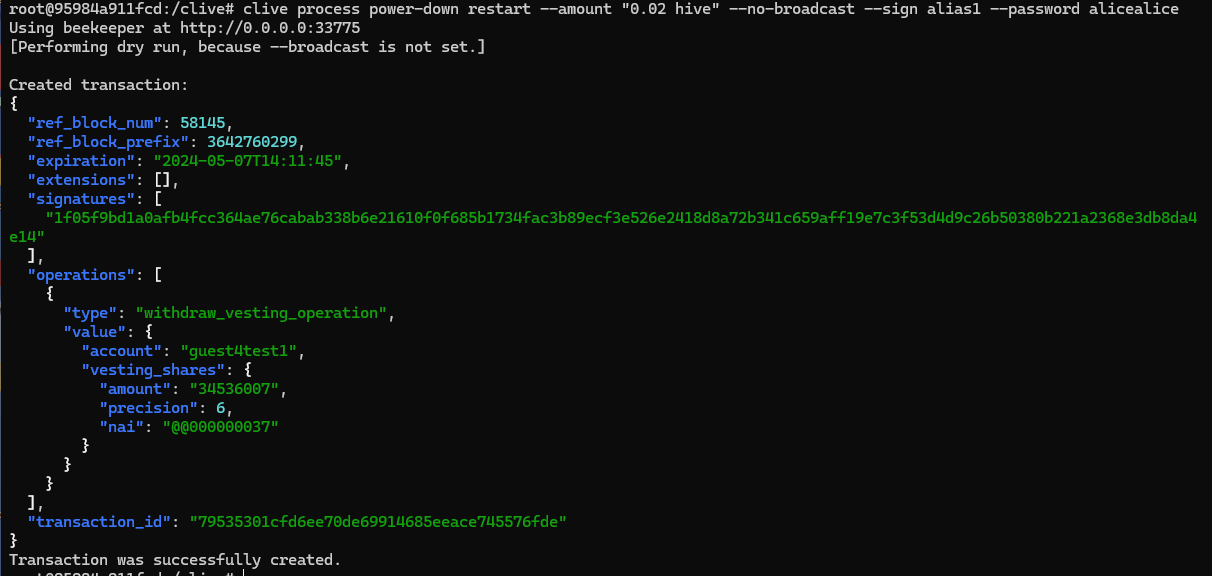
The user wants to change the amount of power down.
The user wants to check what the operation that changes the amount of power-down looks like. That is why they use the `no-broadcast` flag.
`clive process power-down restart --amount "0.02 hive" --no-broadcast --sign alias1 --password alicealice`
##### Setting withdraw routes
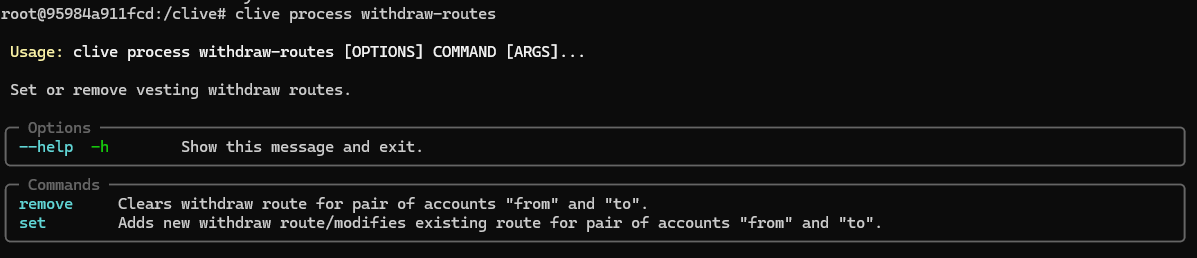
The user may set withdrawal routes using [set_withdraw_vesting_route_operation](https://github.com/openhive-network/hive/blob/master/doc/devs/operations/20_set_withdraw_vesting_route.md) and `clive process withdraw-routes` subcommands.
In CLI Clive the user may set or remove a withdrawal route.
Example:
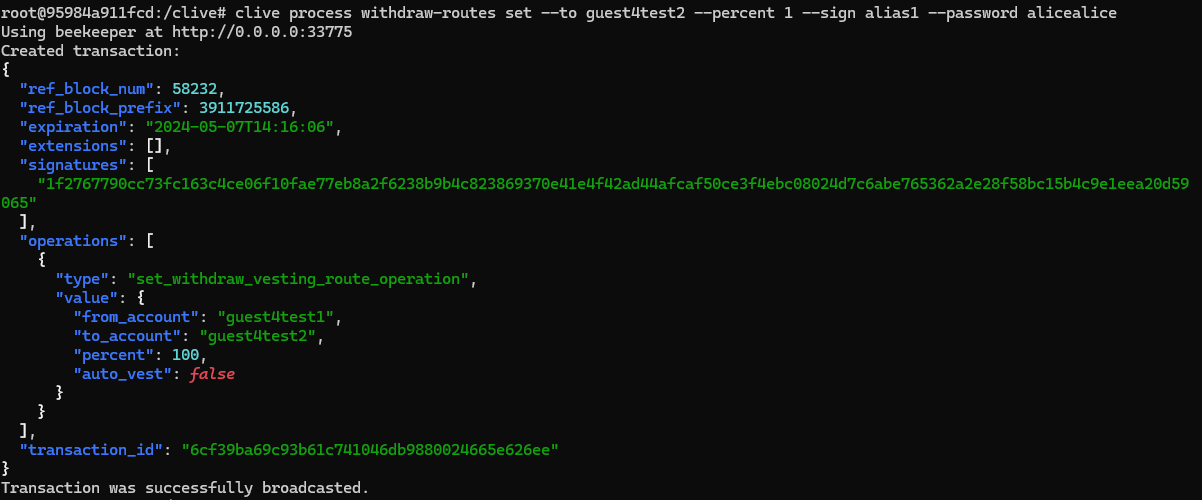
The user wants to add a new withdrawal route.
Notice that percentage is shown multiplied by 100, that is '"percent": 100' means '1 percent'
`clive process withdraw-routes set --to guest4test2 --percent 1 --sign alias1 --password alicealice`
##### Delegate vesting shares
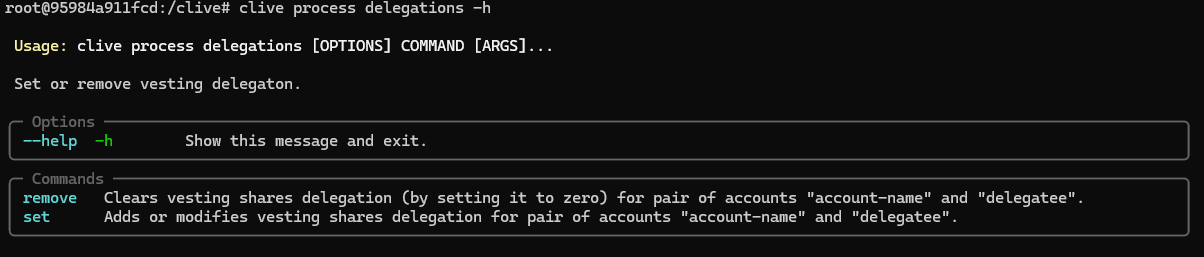
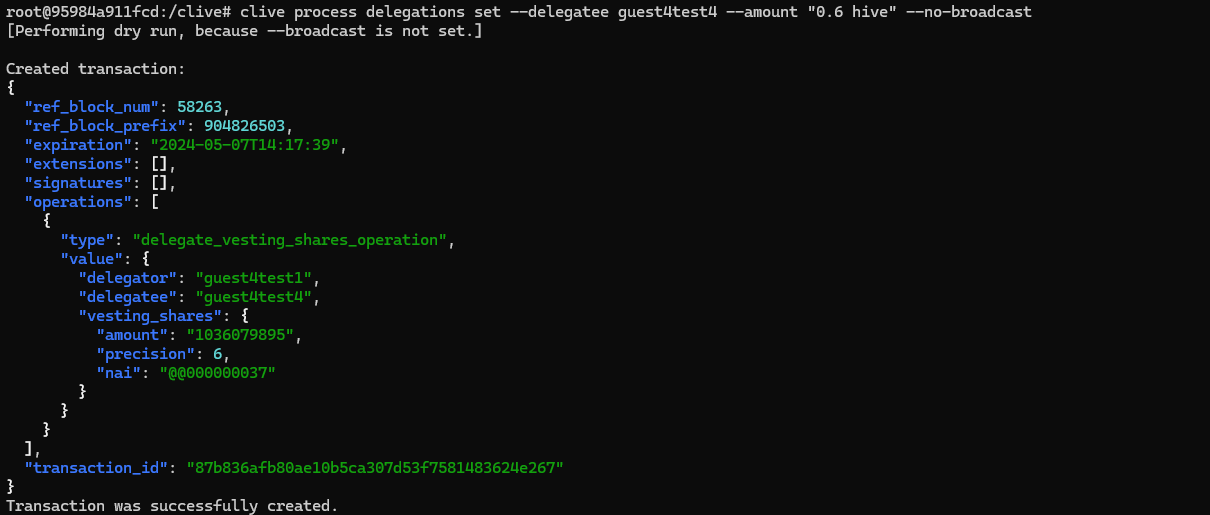
The user may delegate their own shares using [delegate_vesting_shares_operation](https://github.com/openhive-network/hive/blob/master/doc/devs/operations/40_delegate_vesting_shares.md) via subcommands of `clive process delegations`. The user may delegate an amount in HP or VESTS.
In CLI Clive the user may set or remove a delegation.
Example:
The user wants to add a delegation. The user wants to see how the operation looks, without broadcasting it.
`clive process delegations set --delegatee guest4test4 --amount "0.6 hive" --no-broadcast`
[Command schema](https://gitlab.syncad.com/hive/clive/-/blob/master/clive/__private/cli/commands_structure.md)
[Complete list of corrected issues](https://gitlab.syncad.com/hive/clive/-/releases/v1.27.5.10)
More info about running Clive can be found here: [Clive - alpha release](/@thebeedevs/clive-alpha-release). Please make sure you are using the most recent version: **v1.27.5.10**
## TL;DR
```
docker run -ti hiveio/clive:v1.27.5.10
```
### Your feedback is invaluable and always welcome.