Archive post
Clive updates - governance operations available in the CLI
Two main goals achieved during the last weeks were to bump the Textual to a newer version and to complete the implementation of governance operation in the CLI (command line interface)
Two main goals achieved during the last weeks were to bump the Textual to a newer version and to complete the implementation of governance operation in the CLI (command line interface).
We also added a new small - but useful - feature to voting for proposals - if you add or remove more than 5 votes, those votes are automatically divided into two or more operations.
## How we are with the plan
We wrote about [our plans](/@thebeedevs/clive-plans) more than three months ago.
Let’s sum up where we are:
- Support for the operations requiring active authority:
- Transfer - already delivered (available in CLI and TUI).
- Savings management (transfer to savings, transfer from savings, canceling a transfer from savings) - already delivered ( available in CLI and TUI).
- Governance (vote for proposals, vote for witnesses, set a proxy) - already delivered (available in CLI and TUI).
- Hive Power management (Power Up and Power Down) - coming soon.
- Recurrent transfer - coming soon.
We decided to add one more operation requiring active authority to Clive - update an authority - to allow users to change their authority in an easy and safe way.
So as you can see we are on track.
## CLI governance operations
The following operations related to governance are now available in the CLI:
- add/remove vote for a witness
- add/remove vote for a proposal
- set/unset a proxy
### CLI governance operations - commands related to voting for a witness
The following commands are related to voting for a witness:
- `clive show witnesses` - displays a list of witnesses
Information about the parameters of every clive command can be displayed by running the command with `-h`.
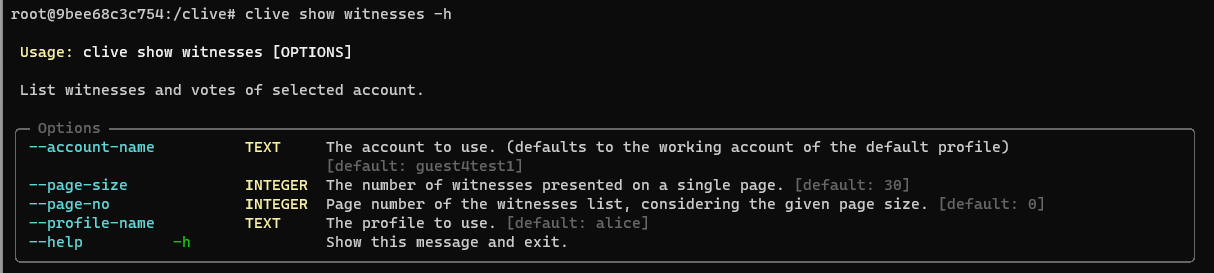
Example:
The list of witnesses is sorted by received votes, but `--account-name` votes are shown first.
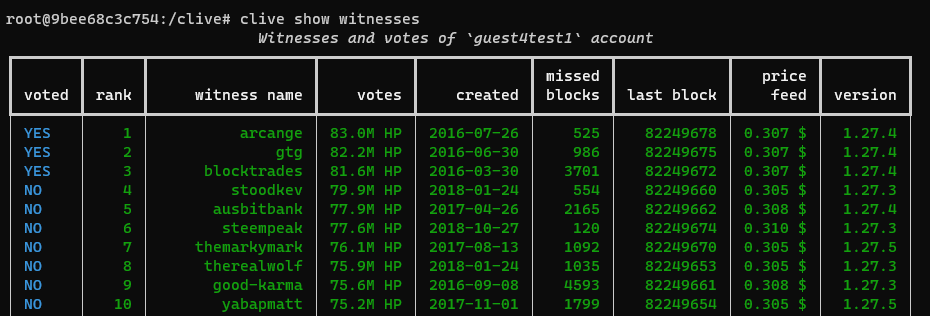
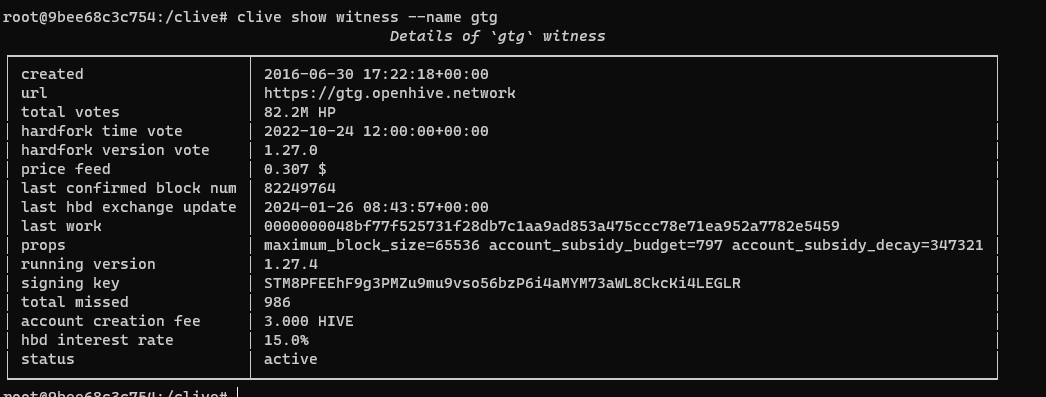
- `clive show witness --name XXX` - displays the witness details for the selected witness

Example:
A user wants to see the details of a witness named `gtg`.
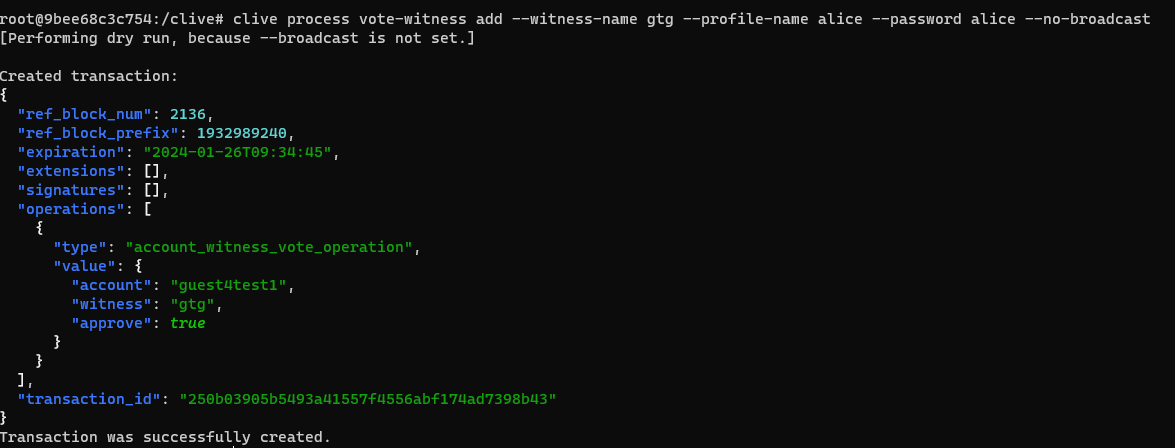
- `clive process vote-witness add` - adds a vote for a witness. You may add one vote in one operation.
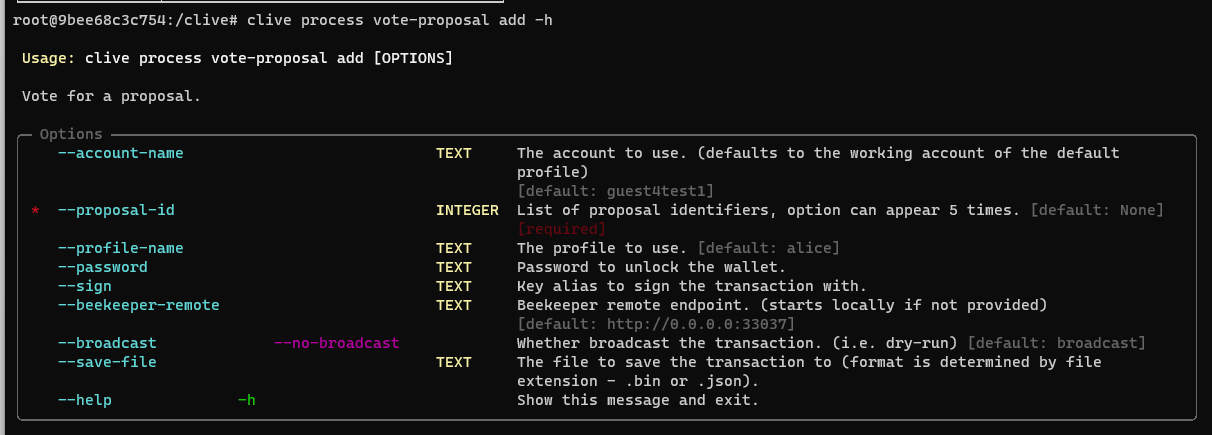
Options: `–profile-name`, `–password`, `–sign`, `–beekeeper-remote`, `–broadcast/–no-broadcast`, `–save-file` are the same for all operations available in Clive.
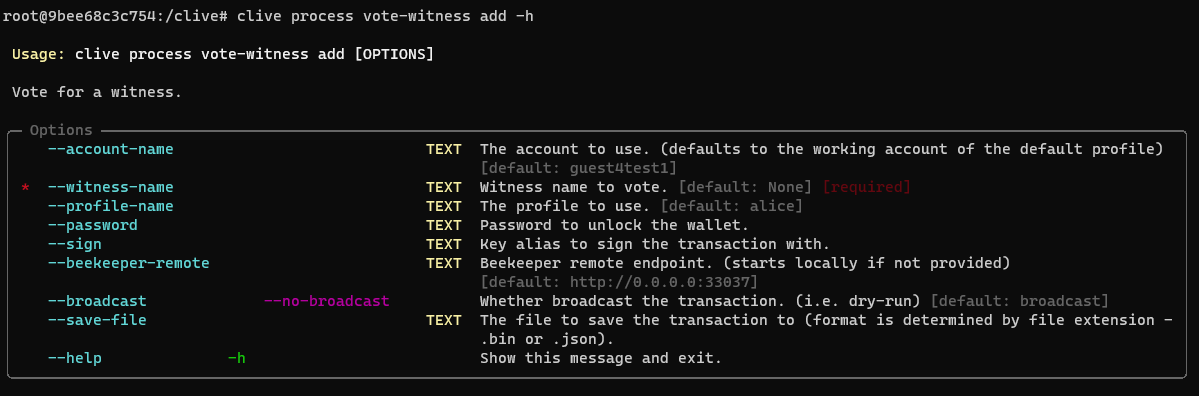
Example:
A user creates a transaction with an operation voting for a witness named gtg, but does not broadcast it.
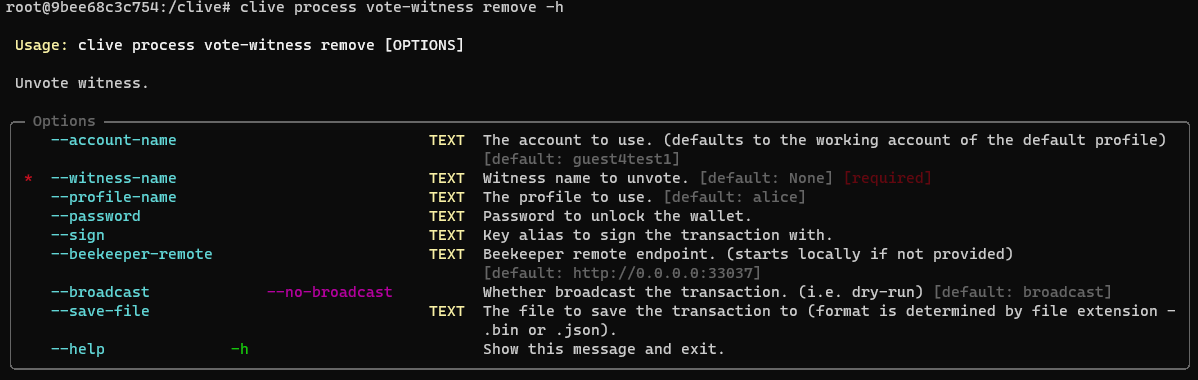
- `clive process vote-witness remove` - removes a vote for a witness.
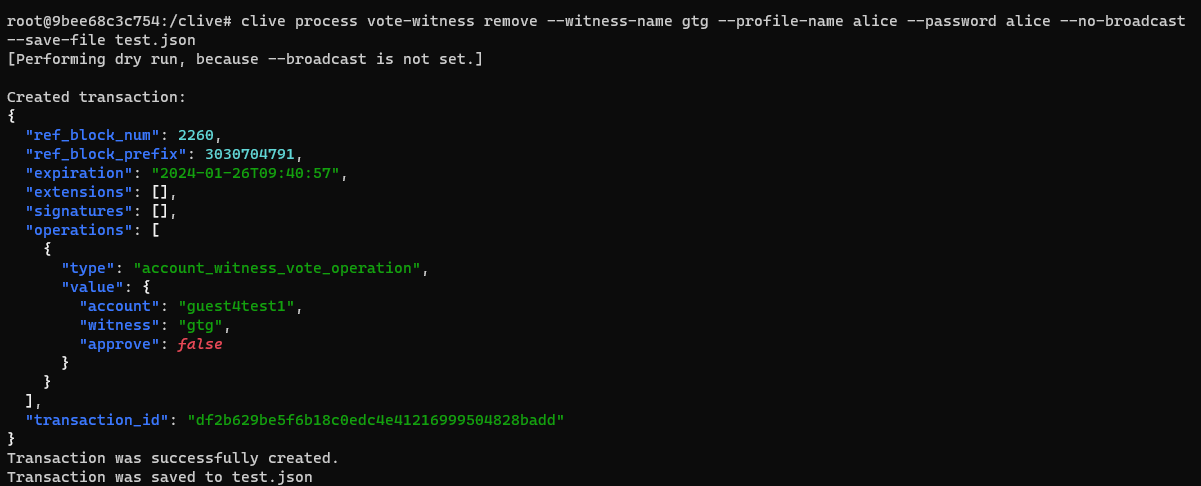
Example:
A user removes a vote for a witness named gtg, doesn’t broadcast the transaction, and saves it to file test.json.
### CLI governance operations - commands related to voting for a proposal
The following commands are related to voting for a proposal:
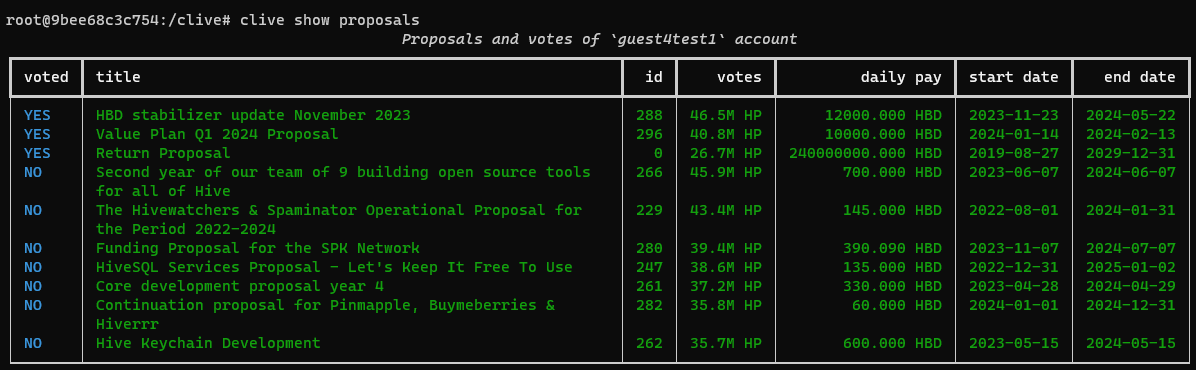
- `clive show proposals` - displays a list of proposals.
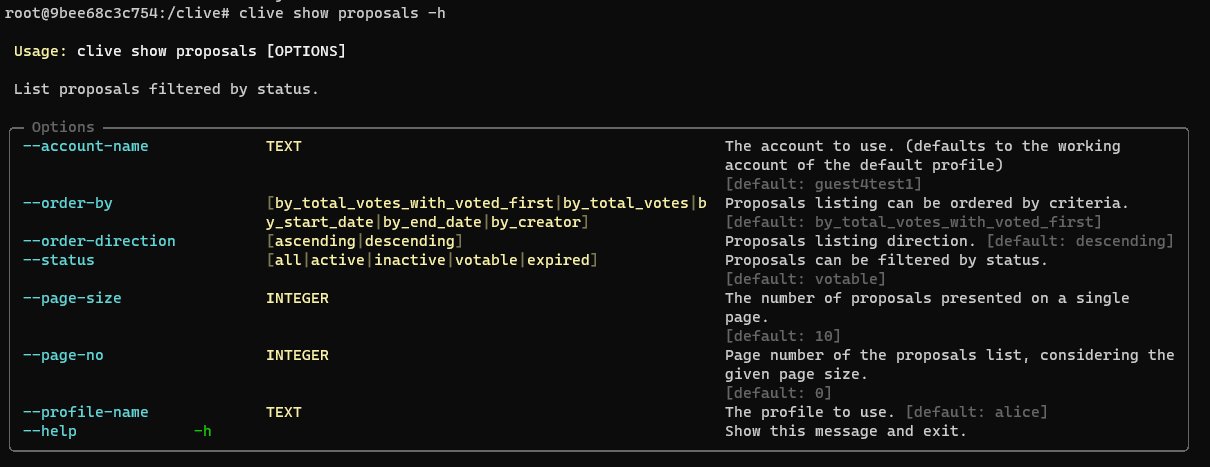
Example:
The list of proposals by default shows proposals with status `votable`, is sorted by the received votes, but the `--account-name` votes are shown first. You can change what the list is ordered by, ordering direction and filter it by status using options.
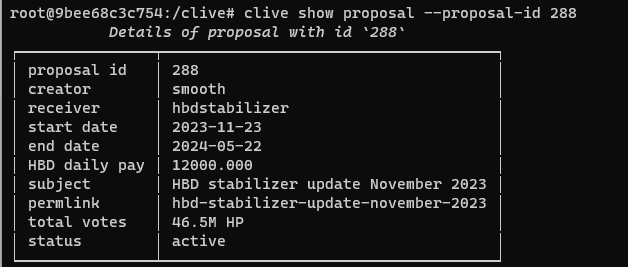
- `clive show proposal --proposal-id XXX` - displays the proposal details for the pointed proposal.

Example:
A user wants to see the details of proposal #288.
- `clive process vote-proposal add` - adds votes for a list of up to five proposals.
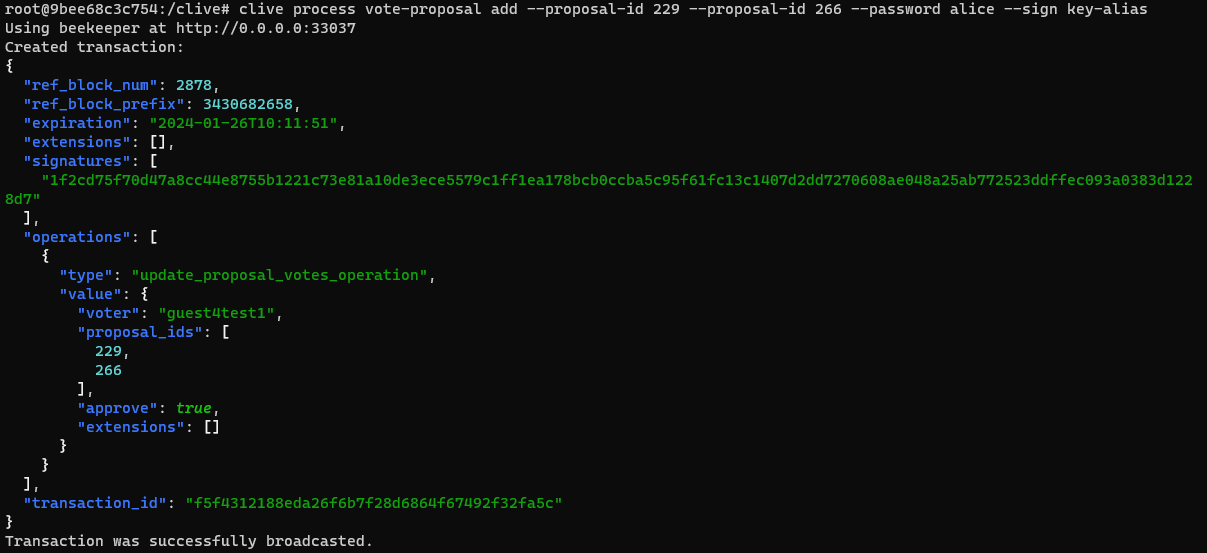
Example:
A user wants to vote for two proposals, #229 and #266. The user broadcasts the transaction.
- `clive process vote-proposal remove` - removes votes for a list of up to five proposals.
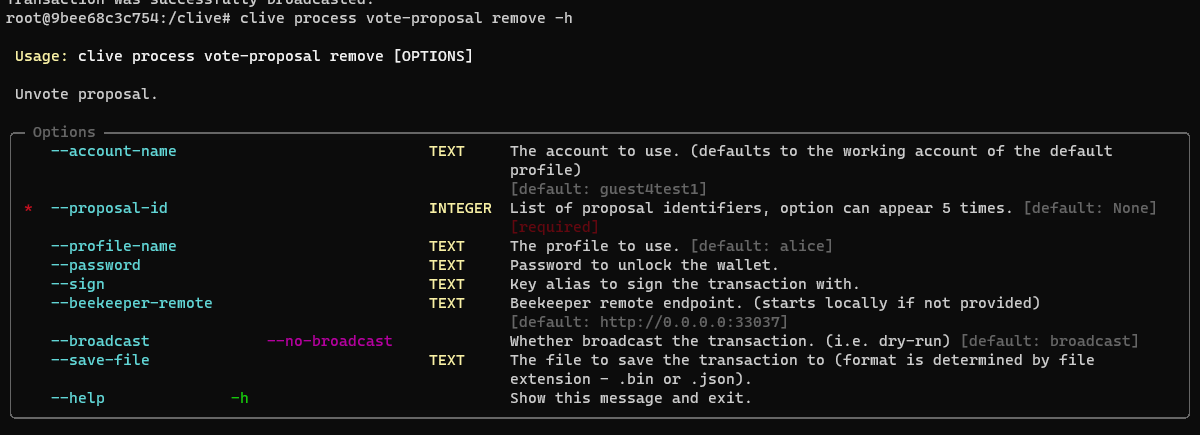
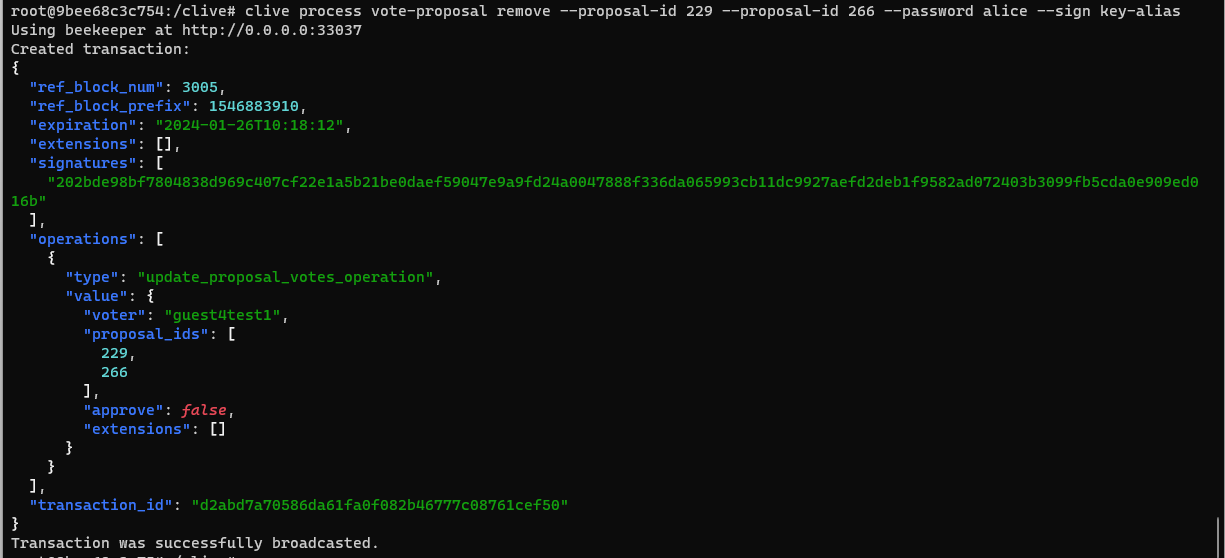
Example:
A user wants to remove votes for two proposals, #229 and #266. The user broadcasts the transaction.
### CLI governance operations - commands related to proxy
The following commands are related to the proxy:
- `clive show proxy` - show proxy of the selected account

Example:
A user (`@guest4test1`) wants to check if someone else (`@thebeedevs`) has set a proxy.

- `clive process proxy set` - sets or changes the proxy.
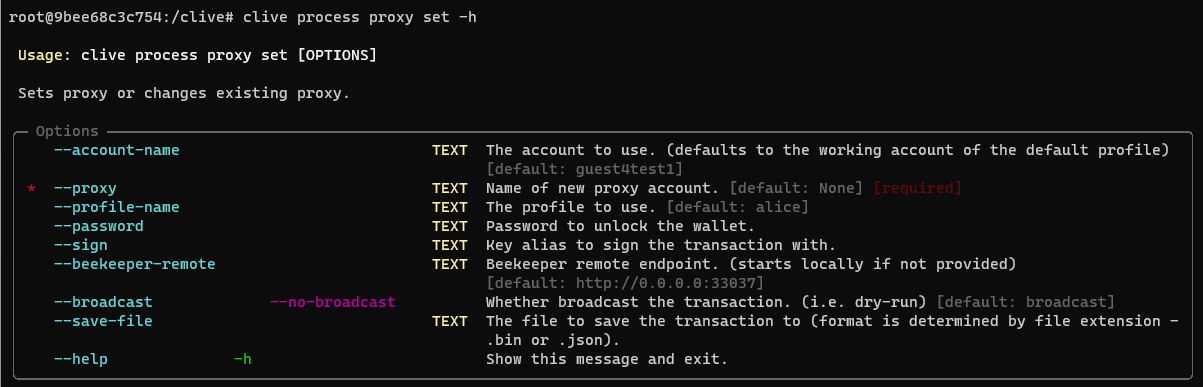
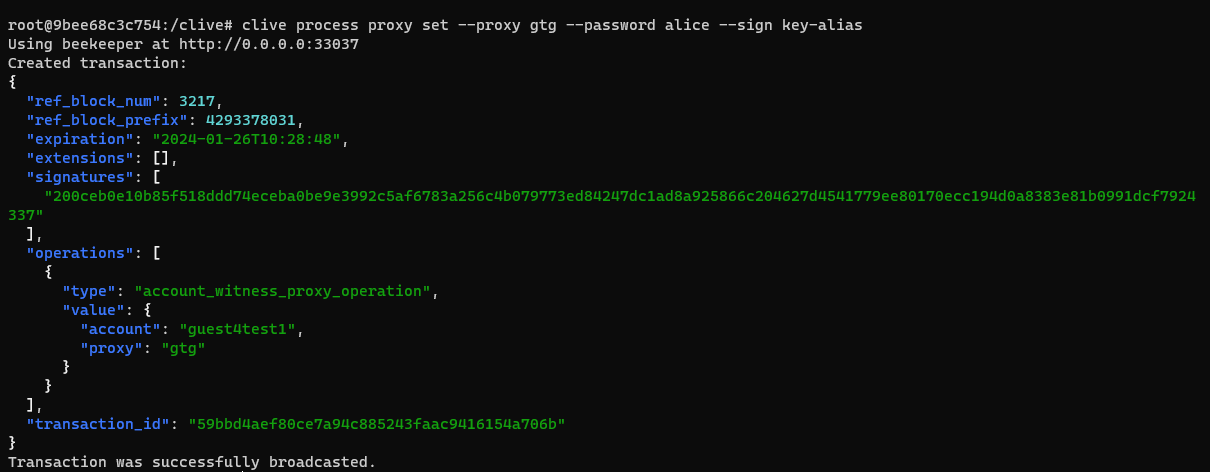
Example:
A user sets a proxy.
If a user sets a proxy, the information about it is displayed on the list of witnesses and the list of proposals.


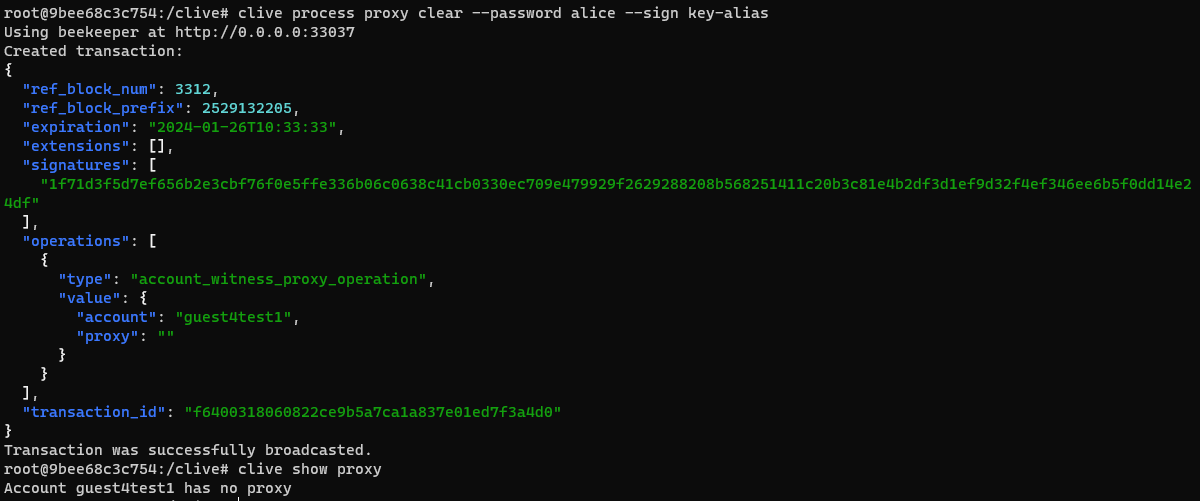
- `clive process proxy clear` - removes a proxy.
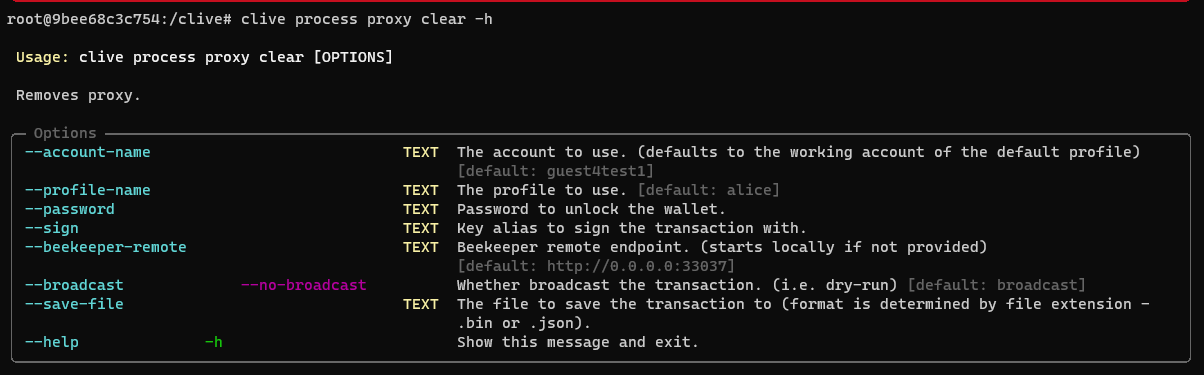
Example:
A user removes a proxy and broadcasts the transaction.
[Updated command schema](https://gitlab.syncad.com/hive/clive/-/blob/master/clive/__private/cli/commands_structure.md)
[Complete list of corrected issues](https://gitlab.syncad.com/hive/clive/-/releases/v1.27.5.6)
More info about running Clive can be found here: [Clive - alpha release](/@thebeedevs/clive-alpha-release). Please make sure you are using the most recent version: **v1.27.5.6**
## TL;DR
```
docker run -ti hiveio/clive:v1.27.5.6
```
### Your feedback is invaluable and always welcome.