Archive post
Clive case study - CLI broadcasting a transaction using a private key from an offline computer
A user wants to send a transfer and security is extremely important for him, so to broadcast a transfer, he uses two computers
## Assumptions
A user wants to send a transfer and security is extremely important for him, so to broadcast a transfer, he uses two computers. The first computer is offline and has a private key, the second computer is online but has no access to the user's private key (air gap).
Is it possible to do so using Clive?
YES!
## Steps
Precondition:
1. The user has to have Clive on both computers.
2. The first computer is online and has no access to private keys.
3. The second computer, where the keys are stored, is offline.
### Step 1. The user prepares the transaction with the transfer on the online computer.
To do this, the user has to:
- Create a profile and add his account as a working account. The user may add the working account while creating a profile or later.
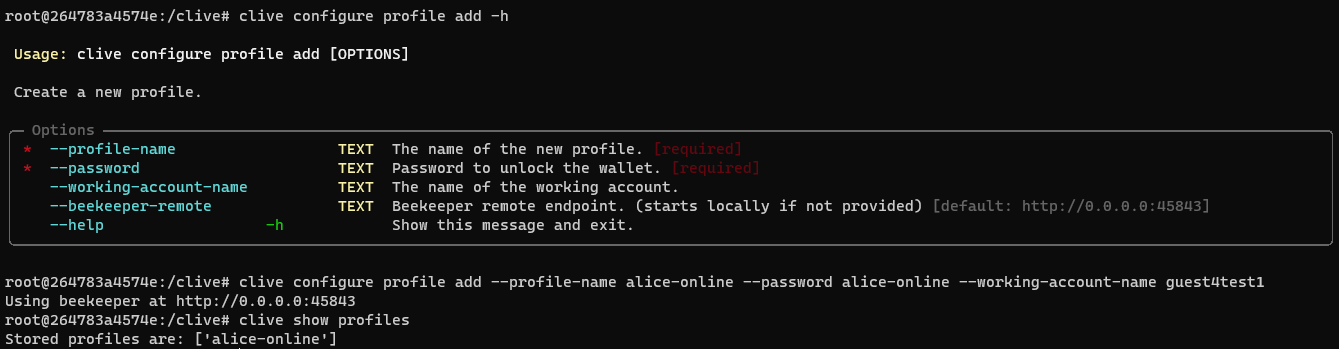
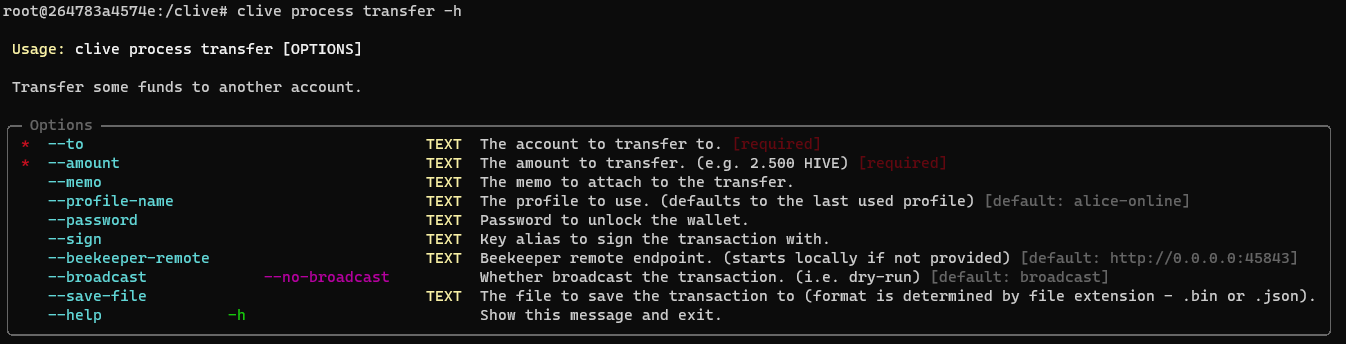
- Prepare the transaction with the transfer - the transaction is not signed, not broadcast but saved to a file. Be aware that `--no-broadcast` must be explicitly specified.
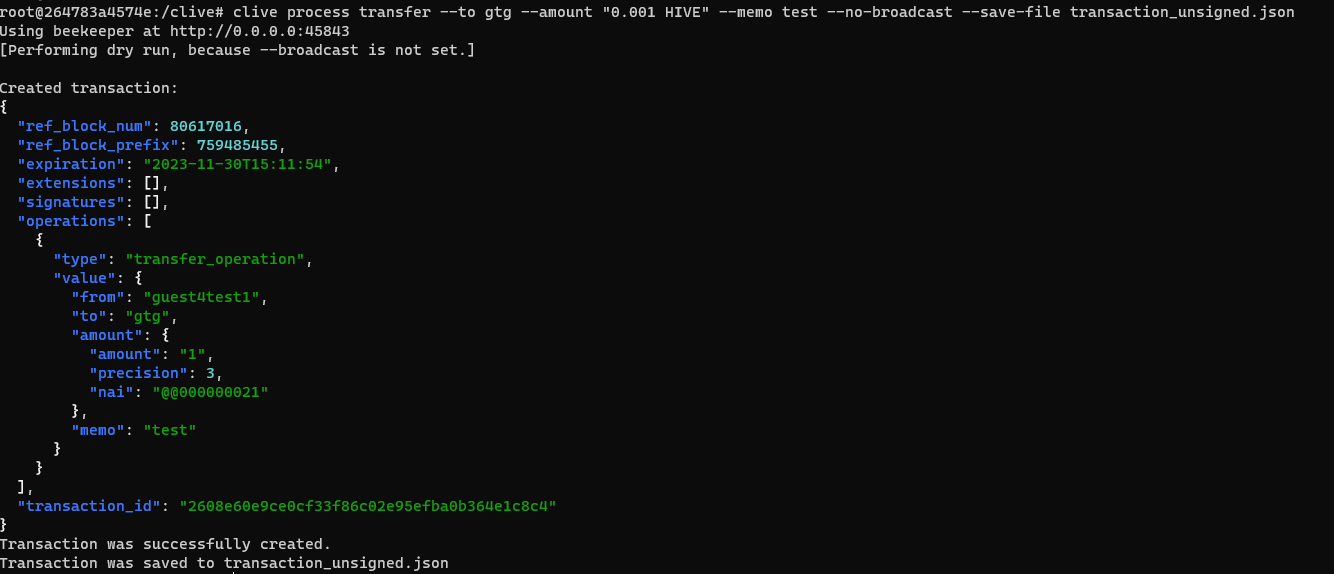
File `transaction_unsigned.json`
```
{
"ref_block_num": 80617016,
"ref_block_prefix": 759485455,
"expiration": "2023-11-30T15:11:54",
"extensions": [],
"signatures": [],
"operations": [
{
"type": "transfer_operation",
"value": {
"from": "guest4test1",
"to": "gtg",
"amount": {
"amount": "1",
"precision": 3,
"nai": "@@000000021"
},
"memo": "test"
}
}
]
}
```
### Step 2. The user moves the `transaction_unsigned.json` file to the offline computer.
### Step 3 The user signs the transaction on the offline computer.
To do this, a user has to:
- Create a profile and add his account as a working account.

- Add a key to the Beekeeper - Clive has access to the private key via the Beekeeper.


- Load the transaction from the file,sign it using the private key and save it to another file.
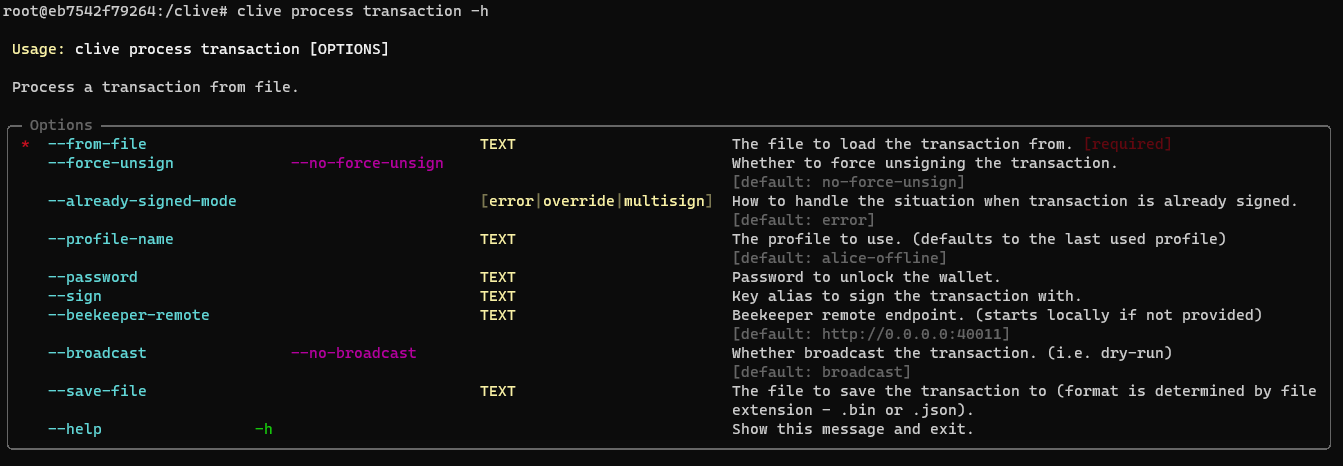
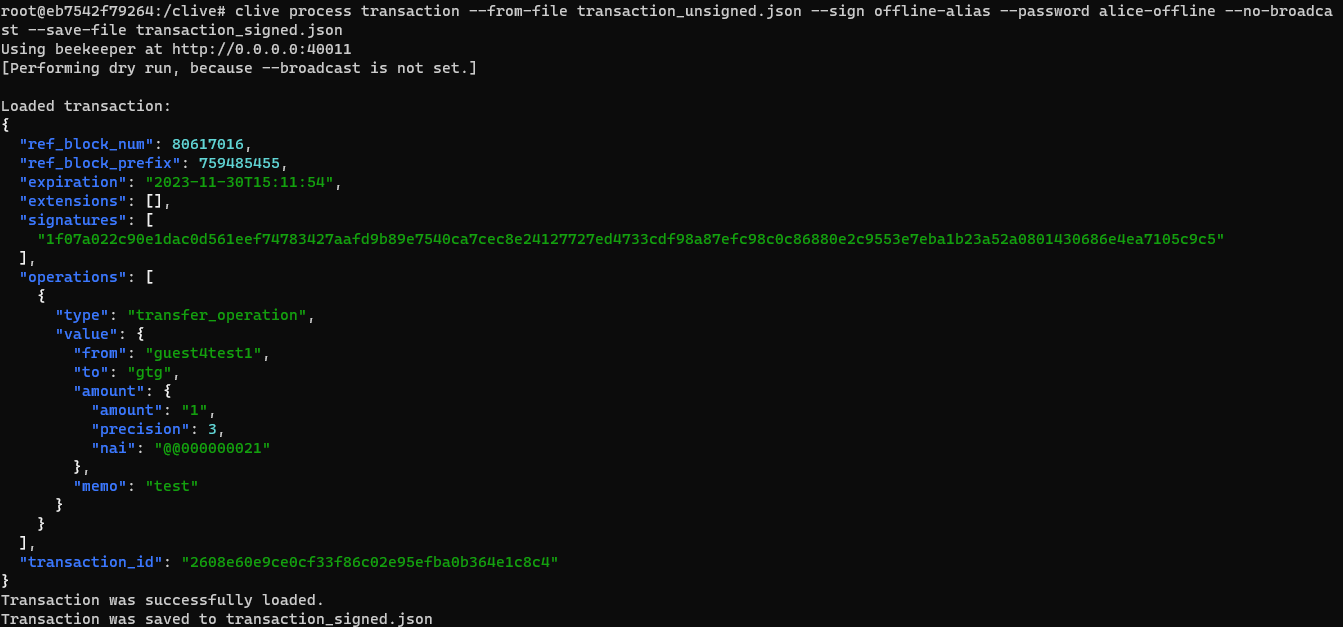
File `transaction_signed.json`
```
{
"ref_block_num": 80617016,
"ref_block_prefix": 759485455,
"expiration": "2023-11-30T15:11:54",
"extensions": [],
"signatures": [
"1f07a022c90e1dac0d561eef74783427aafd9b89e7540ca7cec8e24127727ed4733cdf98a87efc98c0c86880e2c9553e7eba1b23a52a0801430686e4ea7105c9c5"
],
"operations": [
{
"type": "transfer_operation",
"value": {
"from": "guest4test1",
"to": "gtg",
"amount": {
"amount": "1",
"precision": 3,
"nai": "@@000000021"
},
"memo": "test"
}
}
]
}
```
Of course, actions specific to profile creation and importing a private key must be performed only once on a given machine. You can use this profile and imported keys anytime you need to sign a transaction later.
### Step 4. The user moves the `transaction_signed.json` file to the online computer.
### Step 5. The user broadcasts the transaction on the online computer
(we just skipped the `--broadcast` option since transaction broadcast is performed as a default action).
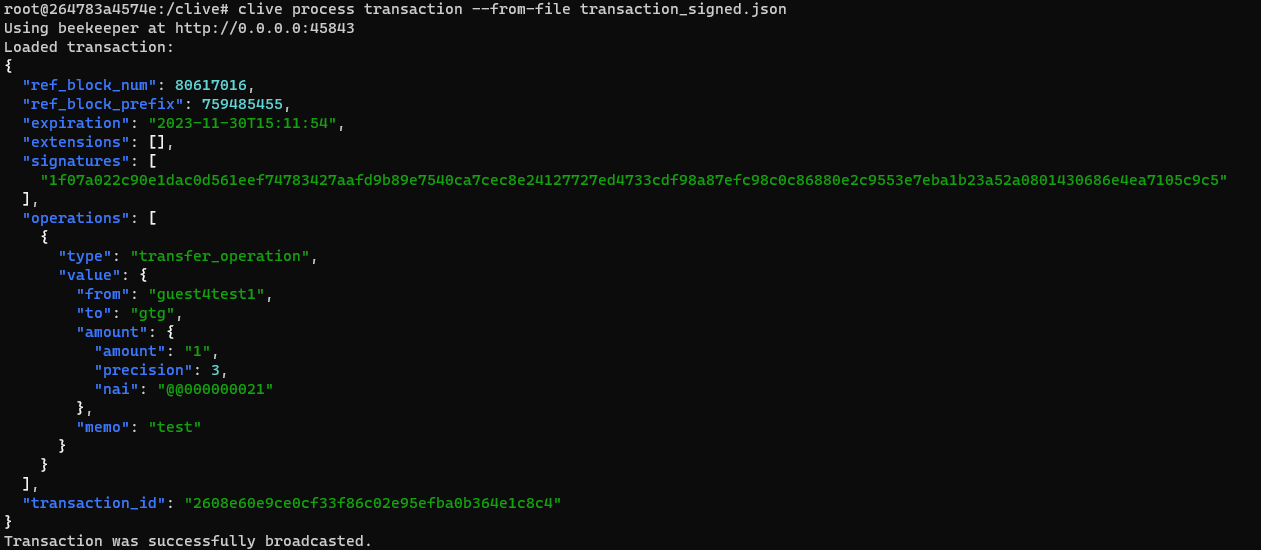
You can check the result here as well: https://hiveblocks.com/tx/2608e60e9ce0cf33f86c02e95efba0b364e1c8c4.
[The updated command schema](https://gitlab.syncad.com/hive/clive/-/blob/master/clive/__private/cli/commands_structure.md)
[The complete list of corrected issues](https://gitlab.syncad.com/hive/clive/-/releases/v1.27.5.4)
More info about running Clive can be found here: [Clive - alpha release](/@thebeedevs/clive-alpha-release). Just please make sure to use the recent version: **v1.27.5.4**
## TL;DR
```
docker run -ti hiveio/clive:v1.27.5.4
```
### Your feedback is invaluable and always welcome.