Archive post
A Hacky Guide to Hive (part 2.2.2: custom_YOson)
• felixxx
finishing first demo of custom YOson
## Context
Please read [last post](/@felixxx/a-hacky-guide-to-hive-part-221-blocks) for context.
## SQLAlchemy
This is no Python guide, this is no SQL guide.
I just want to get the job done, so I use [SQLAlchemy](https://www.sqlalchemy.org/).
You could build the following better or faster, in any language you want, without SQLAlchemy, for a different storage than SQLite... the main thing is: You'll probably need other data.
This is just a way to get to a working demo quickly.
### db.py
```
from typing import List
import datetime
from sqlalchemy import String, ForeignKey, DateTime, create_engine
from sqlalchemy.sql import func
from sqlalchemy.orm import DeclarativeBase, Mapped, mapped_column, relationship, Session
class Base(DeclarativeBase):
pass
class Block(Base):
__tablename__ = "blocks"
num: Mapped[int] = mapped_column(primary_key=True)
timestamp: Mapped[str] = mapped_column(String(19))
sql_timestamp: Mapped[datetime.datetime] = mapped_column(DateTime(timezone=True), server_default=func.now())
yos: Mapped[List["Yo"]] = relationship(back_populates="block", cascade="all, delete-orphan")
class Yo(Base):
__tablename__ = "yos"
id: Mapped[int] = mapped_column(primary_key=True, autoincrement=True)
author: Mapped[str] = mapped_column(String(16))
tx_id: Mapped[str] = mapped_column(String(40))
block_num: Mapped[int] = mapped_column(ForeignKey("blocks.num"))
block: Mapped[Block] = relationship(back_populates="yos")
```
This is no SQLAlchemy quide.
It is for the most part just the example from the [SQLalchemy tutorial](https://docs.sqlalchemy.org/en/20/orm/quickstart.html), adapted to my data.
It allows me to map SQL tables _blocks_ and _yos_ as classes _Block_ and _Yo_.
I am not even sure, if I am doing it right, but for the demo it doesn't matter.
```
def make_db(db):
Base.metadata.create_all(create_engine(db))
def set_blocks(blocks, session: Session):
session.add_all(blocks)
def get_last_block(session: Session):
return session.query(Block.num).order_by(Block.num.desc()).limit(1).first()[0]
```
The main goal of db.py is to be able to:
- make a DB
- add blocks to DB table (set)
- return blocks from DB (get)
For now, I only need to get to the last block, so I built a specialized function, to do just that.
```
def make_yo_blocks(start, blocks):
num = start
yo_blocks = []
for block in blocks:
yos = []
for tx_i, transaction in enumerate(block['transactions']):
for operation in transaction['operations']:
if operation['type'] == 'custom_json_operation':
if operation['value']['id'] == 'YO':
yo = Yo(author= operation['value']['required_posting_auths'][0], tx_id= block['transaction_ids'][tx_i])
yos.append(yo)
yo_block = Block(num= num, timestamp= block['timestamp'], yos= yos)
yo_blocks.append(yo_block)
num += 1
return yo_blocks
```
The above is the last piece.
It does a lot of things for a single function.
It takes the _blocks_ data from last post and converts it to _Blocks_ (and _Yos_).
It can break in a lot of places, but that's exactly what it should do for now.
#### Example
```
db_file = "sqlite:///yo.db"
init_block = Block(num = 89040473, timestamp = '2024-09-18T12:55:36', yos = [Yo(author = 'felixxx', tx_id = 'eb025cf797ee5bc81d7399282268079cc29cc66d')])
def init():
make_db(db_file)
with Session(create_engine(db_file, echo=True)) as session:
set_blocks([init_block], session)
session.commit()
```
If you run this example init twice, you will get an error:
Demonstrating that SQL is already doing stuff; it prevents inserting a block of the same _num_ twice.
## custom_YOson
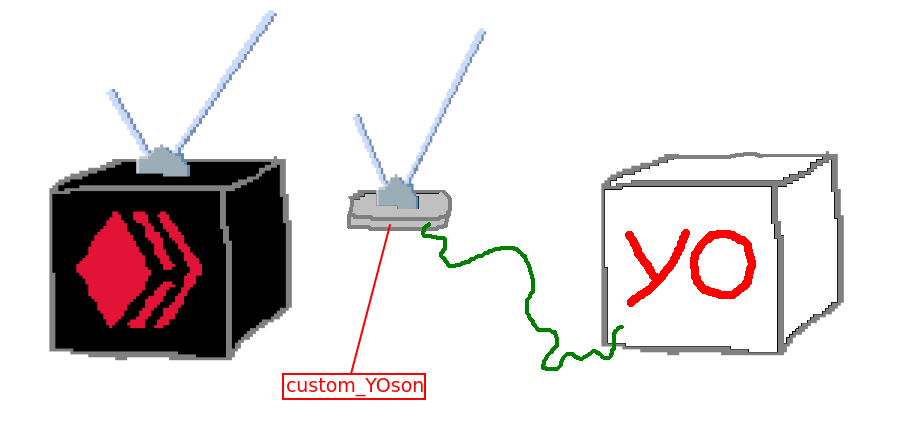
In the final process the api and db handling meet.
### api.py
```
import requests
def get_block_range(start, count, url):
data = '{"jsonrpc":"2.0", "method":"block_api.get_block_range","params":{"starting_block_num":'+str(start)+',"count": '+str(count)+'},"id":1}'
return requests.post(url, data)
```
That's the Hive api from last post. It's really that short.
I modified it just a little, to move data conversion further upstream; Instead of a list of blocks, it now returns raw data.
### custom_YOson.py
```
import db, api
url = 'https://api.hive.blog'
db_file = "sqlite:///yo.db"
count = 10
innit_block = db.Block(num = 89040473, timestamp = '2024-09-18T12:55:36', yos = [db.Yo(author = 'felixxx', tx_id = 'eb025cf797ee5bc81d7399282268079cc29cc66d')])
def innit():
db.make_db(db_file)
with db.Session(db.create_engine(db_file)) as session:
db.set_blocks([innit_block], session)
session.commit()
def tick():
with db.Session(db.create_engine(db_file)) as session:
last = db.get_last_block(session)
response = api.get_block_range(last + 1, count, url)
blocks = response.json()['result']['blocks']
with db.Session(db.create_engine(db_file)) as session:
if last == db.get_last_block(session):
db.set_blocks(db.make_yo_blocks(last + 1, blocks), session)
session.commit()
```
The main procedure, that should happen during every tick:
- with open db session:
- get last block's num from db
- query Hive node for next (count = 10) blocks
- convert Hive node response to dictionary, select key 'blocks'
- with open db session:
- get last block's num again, if same:
- convert blocks to Blocks
- store blocks
### Process
custom_YOson is only 75 lines long:
- api.py (5)
- db.py (48)
- custom_YOson.py (22)
You'd still have to wrap this in a loop, but the core procedure works for stream and resync.
My main goal here was to use functions in tick() that each represent one step of the procedure.
### Performance
1 block @ 26 KB|10 blocks @ 168 KB|100 blocks @ 1919 KB
-|-|-
api.hive.blog: 0.693 s
YOson: 0.020 s
total: 0.714 s|api.hive.blog: 0.976 s
YOson: 0.017 s
total: 0.993 s|api.hive.blog: 7.910 s
YOson: 0.028 s
total: 7.939 s I did 3 test shots and what's clear: The node performance is the bottleneck. I could optimize my code or try a different language and database, but I could only shave off miliseconds. Acessing a node via localhost would probably be substantially faster, but even then: to improve this there probably isn't much you can do in Python... ## Conclusion Hive's state changes. The only way to observe state changes is querying a node. In many ways, Hive is a like a black box. Goal was to build a white box, that has healthy data. (yo.db) How to best sanitize, store and handle the data depends on the application. You could build something like HiveSQL, hive-engine, a voting service or a game with a yo.db as engine, like above. Next post I'll cover error handling and deployment and build an application. Had I understood 8 years ago, when I first found this chain, how to build stuff like above... I could have made a lot of money. A lot of it isn't even Hive specific... **Please** test & comment!
YOson: 0.020 s
total: 0.714 s|api.hive.blog: 0.976 s
YOson: 0.017 s
total: 0.993 s|api.hive.blog: 7.910 s
YOson: 0.028 s
total: 7.939 s I did 3 test shots and what's clear: The node performance is the bottleneck. I could optimize my code or try a different language and database, but I could only shave off miliseconds. Acessing a node via localhost would probably be substantially faster, but even then: to improve this there probably isn't much you can do in Python... ## Conclusion Hive's state changes. The only way to observe state changes is querying a node. In many ways, Hive is a like a black box. Goal was to build a white box, that has healthy data. (yo.db) How to best sanitize, store and handle the data depends on the application. You could build something like HiveSQL, hive-engine, a voting service or a game with a yo.db as engine, like above. Next post I'll cover error handling and deployment and build an application. Had I understood 8 years ago, when I first found this chain, how to build stuff like above... I could have made a lot of money. A lot of it isn't even Hive specific... **Please** test & comment!