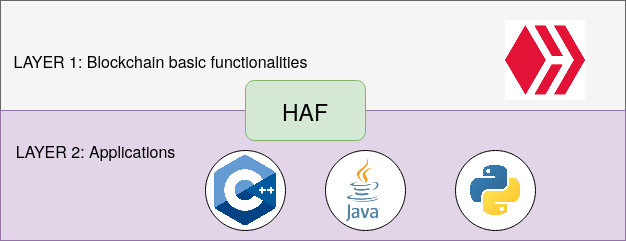
Table of contents:
- HAF node for production
- - ZFS notes
- - Requirements
- - Docker installation
- - Build and replay
- HAF node for development
- - Requirements
- - Build and replay
***
### HAF for production
It is highly recommended to setup ZFS compression with LZ4. It doesn't affect the performance but it reduces the storage needs by 50%.
It might seems complicated but it is very easy to setup ZFS. There are plenty of guides out there on how to do so. I'll just provide some notes.
### ZFS notes
When setting up on hetzner servers for example, I enable RAID 0 and allocate 50-100GB to `/` and leave the rest un-allocated during the server setup. Then I create the partitions after the boot on each disk on the remaining space using fdisk. And I use those partitions for ZFS.
I also use the configs from [here](https://bun.uptrace.dev/postgres/tuning-zfs-aws-ebs.html#zfs-config) under "ZFS config".
```bash
zpool create -o autoexpand=on pg /dev/nvme0n1p4 /dev/nvme1n1p4
zfs set recordsize=128k pg
# enable lz4 compression
zfs set compression=lz4 pg
# disable access time updates
zfs set atime=off pg
# enable improved extended attributes
zfs set xattr=sa pg
# reduce amount of metadata (may improve random writes)
zfs set redundant_metadata=most pg
```
You want to change the ARC size depending on your RAM. It is 50% of your RAM by default which is fine for a machine with +64 GB of RAM but for lower RAM you must change the ARC size.
25 GB of RAM is used for shared_memory and you will need 8-16 GB of free RAM for hived + PostgreSQL and general OS depending on your use case. The rest is left for ZFS ARC size.
To see the current ARC size run `cat /proc/spl/kstat/zfs/arcstats | grep c_max`
1 GB is 1073741824
So to set it 50 GB you have to 50 * 1073741824 = 53687091200
```
# set ARC size to 50 GB
echo 53687091200 >> /sys/module/zfs/parameters/zfs_arc_max
```
***
### Requirements (production)
Storage: 2.5TB (compressed LZ4) or +5TB (uncompressed) - Increasing over time
RAM: You might make it work with +32GB - Recommended +64GB
OS: Ubuntu 22
If you don't care about it reducing the lifespan of your NVMe/SSD or potentially taking +1 week on HDD to sync, you can put shared_memory on disk. I don't recommend this at all but if you insist, you can get away with less RAM.
It is also recommended to allocate the RAM to ZFS ARC size instead of PostgreSQL cache.
Also it is worth going with NVMe for storage. You can get away with 2TB ZFS for only HAF but it is 2.5TB to be safe for at least a while.
***
### Setting up Docker
Installing
```bash
curl -fsSL https://get.docker.com -o get-docker.sh
sudo sh get-docker.sh
```
Changing logging driver to prevent storage filling:
`/etc/docker/daemon.json`
```json
{
"log-driver": "local"
}
```
Restart docker
```bash
systemctl restart docker
```
You can check the logging driver by
```bash
docker info --format '{{.LoggingDriver}}'
```
***
### Running HAF (production)
Installing the requirements
```bash
sudo apt update
sudo apt install git wget
```
/pg is my ZFS pool
```bash
cd /pg
git clone https://gitlab.syncad.com/hive/haf
cd haf
git checkout v1.27.4.0
git submodule update --init --recursive
```
We run the build and run commands from a different folder
```bash
mkdir -p /pg/workdir
cd /pg/workdir
```
Build
```bash
sudo ../haf/scripts/ci-helpers/build_instance.sh v1.27.4.0 ../haf/ registry.gitlab.syncad.com/hive/haf/
```
Make sure /dev/shm has at least 25GB allocated. You can allocate RAM space to /dev/shm by
```bash
sudo mount -o remount,size=25G /dev/shm
```
Now you have 2 options. You can either download an existing block_log and replay the node or sync from p2p. Replay is usually faster and takes less than a day (maybe 20h). Follow one of the following.
**- Replaying**
Download block_log provided by @gtg - You can run it inside tmux or screen
```bash
cd /pg/workdir
mkdir -p haf-datadir/blockchain
cd haf-datadir/blockchain
wget https://gtg.openhive.network/get/blockchain/block_log
```
You might need to change the permissions of new files/folders (execute before running haf)
```
sudo chmod -R 777 /pg/workdir
```
Run & replay
```
cd /pg/workdir
sudo ../haf/scripts/run_hived_img.sh registry.gitlab.syncad.com/hive/haf/instance:instance-v1.27.4.0 --name=haf-instance --data-dir=$(pwd)/haf-datadir --shared-file-dir=/dev/shm --replay
```
**Note:** You can use the same replay command after stopping the node to continue the replay from where it was left.
**- P2P sync**
Or you can just start haf and it will sync from p2p - I would assume it takes 1-3 days
```bash
cd /pg/workdir
sudo ../haf/scripts/run_hived_img.sh registry.gitlab.syncad.com/hive/haf/instance:instance-v1.27.4.0 --name=haf-instance --data-dir=$(pwd)/haf-datadir --shared-file-dir=/dev/shm
```
Check the logs:
```bash
sudo docker logs haf-instance -f --tail 50
```
**Note:** You can use the same p2p start command after stopping the node to continue the replay from where it was left.
***
### HAF for development
This setup takes around 10-20 minutes and is very useful for development and testing. I usually have this on my local machine.
Requirements:
Storage: 10GB
RAM: +8GB (8GB might need swap/zram for building)
OS: Ubuntu 22
The process is the same as the production till building. I'm going to past them here. Docker installation is the same as above.
I'm using /pg here but you can change it to whatever folder you have.
```bash
sudo apt update
sudo apt install git wget
cd /pg
git clone https://gitlab.syncad.com/hive/haf
cd haf
# develop branch is recommended for development
# git checkout develop
git checkout v1.27.4.0
git submodule update --init --recursive
mkdir -p /pg/workdir
cd /pg/workdir
sudo ../haf/scripts/ci-helpers/build_instance.sh v1.27.4.0 ../haf/ registry.gitlab.syncad.com/hive/haf/
```
Now we get the 5 million block_log provided by @gtg
```bash
cd /pg/workdir
mkdir -p haf-datadir/blockchain
cd haf-datadir/blockchain
wget https://gtg.openhive.network/get/blockchain/block_log.5M
```
rename it
```bash
mv block_log.5M block_log
```
Replay will have an extra option
```bash
cd /pg/workdir
sudo ../haf/scripts/run_hived_img.sh registry.gitlab.syncad.com/hive/haf/instance:instance-v1.27.4.0 --name=haf-instance --data-dir=$(pwd)/haf-datadir --shared-file-dir=/dev/shm --stop-replay-at-block=5000000 --replay
```
Check the logs:
```bash
sudo docker logs haf-instance -f --tail 50
```
HAF node will stop replaying at block 5 million. Use the same replay command ☝️ for starting the node if you stop it.
***
### General notes:
- You don't need to add any plugins to hived. Docker files will take care of them.
- To find the local IP address of the docker container you can run `docker inspect -f '{{range .NetworkSettings.Networks}}{{.IPAddress}}{{end}}' haf-instance` which is `172.17.0.2` for the first container usually.
- To see what ports are exported run `sudo docker ps`
- To stop the node you can run `sudo docker stop haf-instance`
- For replaying from scratch you have to remove shared_memory from `/dev/shm` and also remove `/pg/workdir/haf-datadir/haf_db_store` directory
- You can override PostgreSQL options by adding them in `/pg/workdir/haf-datadir/haf_postgresql_conf.d/custom_postgres.conf`
***
The official GitLab repository includes more information. See /doc.
https://gitlab.syncad.com/hive/haf
***
I'm preparing another guide for hivemind, account history and jussi. Hopefully will be published by the time your HAF node is ready.
Feel free to ask anything.
***